概要
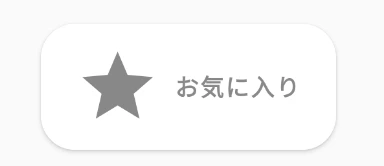
お気に入りボタンを作成したが、お気に入りボタンを押しても反映されなかった。
Jetpack Composeでは再コンポジションされないとお気に入りボタンの状態の反映されないため、同じ画面で変更を反映させるためには、状態を監視する必要がある
コード
favorite.kt
@Composable
fun Screen() {
    var favoriteState by remember { mutableStateOf(false) }
    Log.d("favorite", favoriteState.toString())
    if (favoriteState) {
        FavoriteButton(favoriteState){
            favoriteState = false
            Log.d("favorite", favoriteState.toString())
        }
    } else {
        NonFavoriteButton(favoriteState, onClick = {
            favoriteState = true
            Log.d("favorite", favoriteState.toString())
        })
    }
}

@Composable
fun NonFavoriteButton(favoriteState: Boolean, onClick: () -> Unit) {
    var favoriteState = false
    Button(
        onClick = onClick,
        contentPadding = PaddingValues(
            start = 20.dp,
            top = 12.dp,
            end = 20.dp,
            bottom = 12.dp
        ),

        shape = RoundedCornerShape(20.dp),
        colors = ButtonDefaults.textButtonColors(
            backgroundColor = Color.White,
            contentColor = Color.Gray
        )
    ) {
        Icon(
            Icons.Filled.Star,
            contentDescription = "Favorite",
            modifier = Modifier.size(50.dp)
        )
        Spacer(Modifier.size(ButtonDefaults.IconSpacing))
        Text(
            "お気に入り",
            fontWeight = FontWeight.Bold
        )
    }
}

@Composable
fun FavoriteButton(favoriteState: Boolean, onClick:()->Unit) {
    Button(
        onClick = onClick,
        contentPadding = PaddingValues(
            start = 20.dp,
            top = 12.dp,
            end = 20.dp,
            bottom = 12.dp
        ),

        shape = RoundedCornerShape(20.dp),
        colors = ButtonDefaults.textButtonColors(
            backgroundColor = Color.Cyan,
            contentColor = Color.White
        )
    ) {
        Icon(
            Icons.Filled.Star,
            contentDescription = "Favorite",
            modifier = Modifier.size(50.dp)
        )
        Spacer(Modifier.size(ButtonDefaults.IconSpacing))
        Text(
            "お気に入り",
            fontWeight = FontWeight.Bold
        )
    }
}
viewmodel.kt
package com.example.testviewmodel

import androidx.lifecycle.LiveData
import androidx.lifecycle.MutableLiveData
import androidx.lifecycle.ViewModel

class FavoriteViewModel:ViewModel(){
    private val _favoriteState: MutableLiveData<Boolean> = MutableLiveData<Boolean>(false)
    val favoriteState: LiveData<Boolean> get() = _favoriteState

    fun changeFavoriteState() {
        if (_favoriteState.value == true) _favoriteState.value = false
        else _favoriteState.value = true
    }
}
状態を管理したボタン