

Cesium で Google Map がカンタンに利用できるようになりました
Cesium ion で、GoogleMapsのロードマップ、衛星画像、地形、ラベルなどの各種2D地図タイルが利用できるようになったようです🎉
詳細はCeisum公式ブログをご確認ください。
Introducing Google Maps 2D Tiles in Cesium ion
利用方法は簡単!ワンクリックで追加
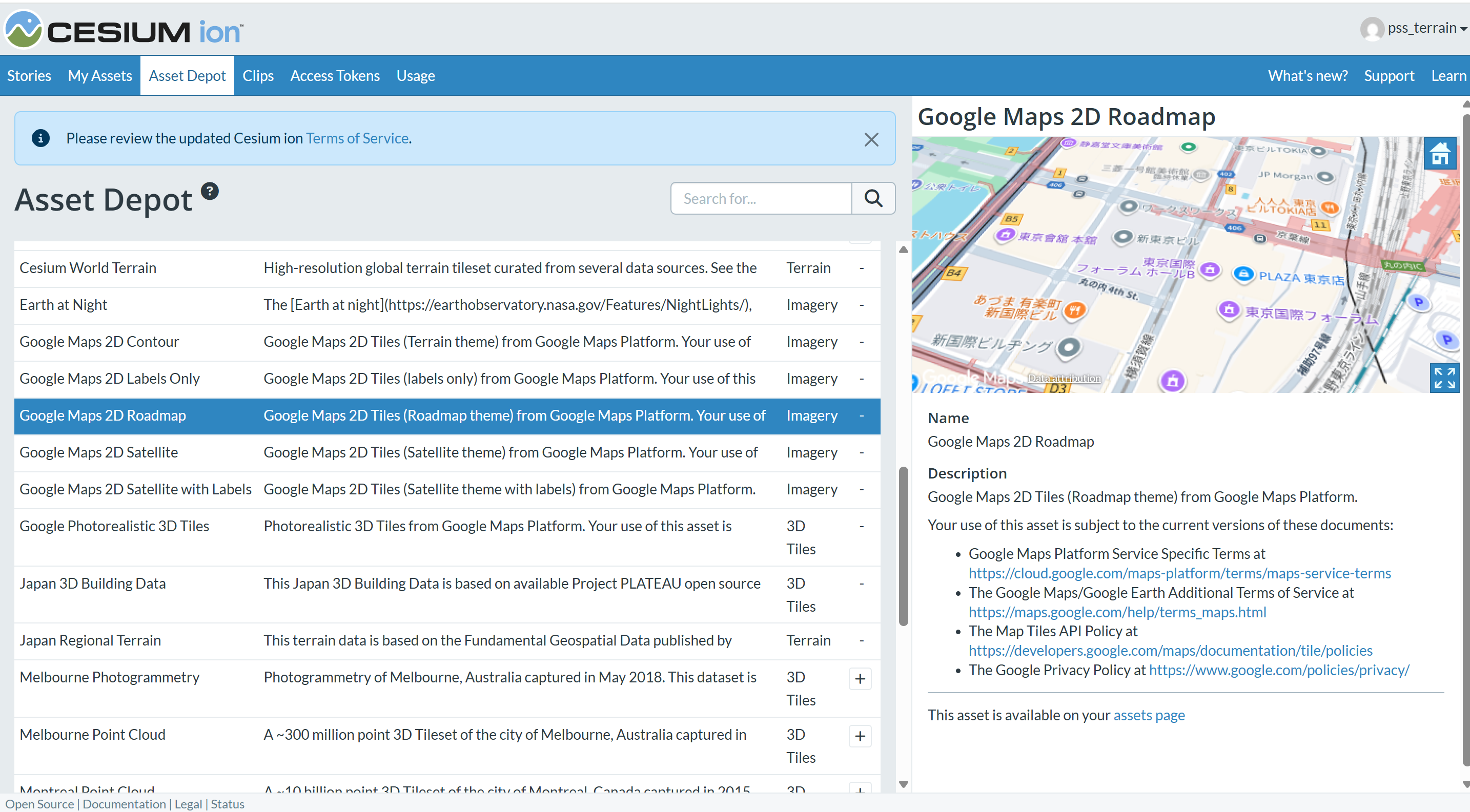
Cesium ion にログインし、「Aeccet Depot」で利用したい Google Maps 2Dタイルを「+」ボタンで追加するだけです。
- Google Maps 2D Satellite (衛星画像)
- Google Maps 2D Satellite with Labels (ラベルつき衛星画像)
- Google Maps 2D Labels Only (ラベルのみ)
- Google Maps 2D Roadmap (ロードマップ)
- Google Maps 2D Contour (地形)
から選択することができます。
Google Maps 2D Roadmap (ロードマップ)は、一番なじみのあるGoogle Mapの表示ですね。
CesiumJS でGoogle Mapsのレイヤーを切り替えて見てみよう
上記Cesium公式ブログで、Cesium Sandcastleを利用したサンプルコードが掲載されています。
それを利用して、東京駅周辺を表示させるコードです↓
(初期表示をフィラデルフィアから東京駅周辺に変えただけです)
Cesium ionにログインし、Sandcastleに以下のコードをコピペするだけで
GoogleMaps のロードマップ、ラベル、衛星画像、地形といった各種2D地図タイルの表示を確認することができます。是非お試しください。
import * as Cesium from "cesium";
import Sandcastle from "Sandcastle";

const viewer = new Cesium.Viewer("cesiumContainer", {
  animation: false,
  baseLayer: false,
  baseLayerPicker: false,
  geocoder: Cesium.IonGeocodeProviderType.GOOGLE,
  timeline: false,
  sceneModePicker: false,
  navigationHelpButton: false,
  homeButton: false,
  terrainProvider: await Cesium.CesiumTerrainProvider.fromIonAssetId(1),
});
viewer.geocoder.viewModel.keepExpanded = true;

const menuOptions = [];

const dropdownOptions = [
  { label: "Google Maps 2D Roadmap/ロードマップ", assetId: 3830184 },
  { label: "Google Maps 2D Contour/地形", assetId: 3830186 },
  { label: "Google Maps 2D Labels Only/ラベルのみ", assetId: 3830185 },
  { label: "Google Maps 2D Satellite with Labels/衛星画像ラベル付き", assetId: 3830183 },
  { label: "Google Maps 2D Satellite/衛星画像", assetId: 3830182 },
  { label: "Bing Maps Aerial", assetId: 2 },
  { label: "Bing Maps Aerial with Labels", assetId: 3 },
  { label: "Bing Maps Road", assetId: 4 },
  { label: "Bing Maps Labels Only", assetId: 2411391 },
  { label: "Sentinel-2", assetId: 3954 },
];

function showLayer(assetId) {
  viewer.imageryLayers.removeAll(true);
  const layer = Cesium.ImageryLayer.fromProviderAsync(
    Cesium.IonImageryProvider.fromAssetId(assetId),
  );
  viewer.imageryLayers.add(layer);
}

dropdownOptions.forEach((opt) => {
  const option = {
    text: opt.label,
    onselect: function () {
      showLayer(opt.assetId);
    },
  };
  menuOptions.push(option);
});

Sandcastle.addToolbarMenu(menuOptions);

showLayer(3830186);

viewer.scene.camera.flyTo({
  duration: 0,
  destination: new Cesium.Rectangle.fromDegrees(
    139.75,   // 西端(東京駅のちょっと左)
    35.67,    // 南端(東京駅のちょっと下)
    139.78,   // 東端(東京駅のちょっと右)
    35.69     // 北端(東京駅のちょっと上)
  ),
});
🤝 導入・活用のご相談
Cesiumの導入や業務での活用にご関心のある方は、
日本国内パートナーである Pacific Spatial Solutions までお気軽にご相談ください。