
やろうとしたこと
- スマフォアプリのサーバ環境(固定のJSONを返すスタブ)をDockerのコンテナ上で動かす(Docker初心者なので何かしらで活用機会を作りたかった)
- Dockerfileの雛形がこちらで提供されていたので利用させていただく
- 今回はこちらを利用
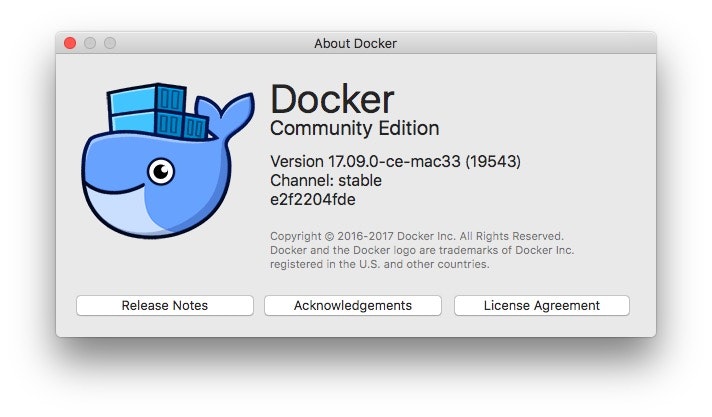
Docker環境
問題その1(プロキシ)
私の環境ではプロキシ越しでのビルドすることになるので、--build-argでプロキシ設定を渡す必要がありました。
$ docker build . --build-arg HTTP_PROXY=(プロキシサーバ)
問題その2(gpg:解決せず)
gpgでキーサーバから公開鍵を取得するところでエラーに。
+ gpg --keyserver ha.pool.sks-keyservers.net --recv-keys 05AB33110949707C93A279E3D3EFE6B686867BA6
gpg: directory '/root/.gnupg' created
gpg: new configuration file '/root/.gnupg/dirmngr.conf' created
gpg: new configuration file '/root/.gnupg/gpg.conf' created
gpg: keybox '/root/.gnupg/pubring.kbx' created
gpg: keyserver receive failed: No name
またしてもプロキシなのかと考えて、マニュアルを確認してみると、--keyserver-optionsで指定できるようなので、指定するようにしてみました。
+ gpg --keyserver ha.pool.sks-keyservers.net --keyserver-options http-proxy=(プロキシサーバ) --recv-keys 05AB33110949707C93A279E3D3EFE6B686867BA6
gpg: directory '/root/.gnupg' created
gpg: new configuration file '/root/.gnupg/dirmngr.conf' created
gpg: new configuration file '/root/.gnupg/gpg.conf' created
gpg: keybox '/root/.gnupg/pubring.kbx' created
gpg: keyserver receive failed: No keyserver available
エラーのメッセージは変わりましたが、結果としてはエラーのままです。
なお、インストールされたgppのバージョンは、
$ gpg --version
gpg (GnuPG) 2.1.20
libgcrypt 1.7.9
でした。
ひとまず先に進めるため、この部分(さらに後ろの手順でダウンロードするtomcat.tar.gzのverifyを実行している箇所も)はコメントしてエラー回避しました。(対処方法をご存知の方は教えていただけると幸いです)
問題その3(wget:無理やりエラー回避)
tomcatのアーカイブを取得するところでエラーになりました。
+ wget -O tomcat.tar.gz https://www.apache.org/dyn/closer.cgi?action=download&filename=tomcat/tomcat-8/v8.0.47/bin/apache-tomcat-8.0.47.tar.gz
wget: bad address 'www.apache.org'
またしてもプロキシのようです。
--build-argでプロキシ設定を渡すようにしていましたが、wgetの場合はhttp_proxyでないとダメなようです。
$ docker build . --build-arg HTTP_PROXY=(プロキシサーバ) --build-arg http_proxy=(プロキシサーバ)
別のエラーになりました。
+ wget -O tomcat.tar.gz https://www.apache.org/dyn/closer.cgi?action=download&filename=tomcat/tomcat-8/v8.0.47/bin/apache-tomcat-8.0.47.tar.gz
Connecting to (プロキシサーバ)
wget: error getting response: Connection reset by peer
こちらの原因も結局わからずでした。
ですが、さすがにこの箇所を「コメントで回避」するわけにはいかないので、curlをインスールしてwgetを使わないようにしました。
for url in $TOMCAT_TGZ_URLS; do \
	if curl -o tomcat.tar.gz "$url"; then \
		success=1; \
		break; \
	fi; \
done; \
また、--build-argを
--build-arg https_proxy=(プロキシサーバ)
に変更しました。
ようやくビルドが成功
$ docker build -t tomcat8.0.47 . --build-arg HTTP_PROXY=http://172.16.248.253:8080 --build-arg https_proxy=http://172.16.248.253:8080
$ docker image ls
REPOSITORY               TAG                 IMAGE ID            CREATED             SIZE
tomcat8.0.47             latest              75daf8b18457        About an hour ago   113MB
$ docker run --name tomcat -itd -p 18080:8080 tomcat8.0.47
MacからTomcatに接続できるようになりました。
そういえば、スタブの配置ができてないです。。。
配置できたらまた更新します。