この記事は、資産管理製品「Tanium」についての操作手順です。
Taniumにはモジュールがいくつかありますが、設定項目名が同じなのになぜかお作法が違う、というものがあったので、整理します。
コンソールの画面キャプチャを載せていますが、変わる可能性が大いにあります。
キャプチャは2025/12/1 時点です。
1.まとめ
| モジュール | 主な機能 | メンテナンスウィンドウに設定する内容 | 設定必須? |
|---|---|---|---|
| Deploy | ソフトウェアの配布、バージョンアップ | 「配布する」時間を設定する | Yes |
| Patch | Windows UpdateのQU配信 | 「配布する」時間を設定する | No |
2.注意すべきこと
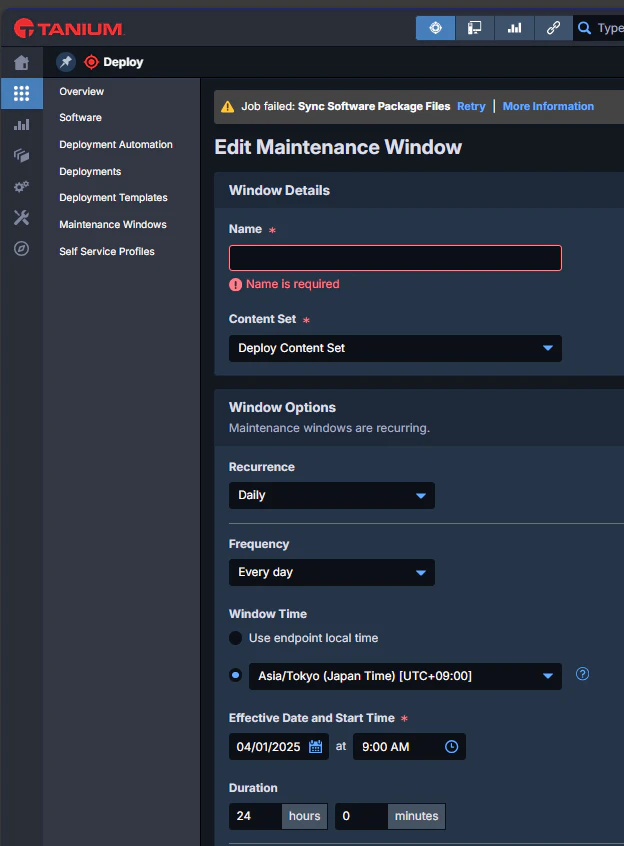
Deployモジュールでは、メンテナンスウィンドウが「空」だと、逆に何も配布されない。
特に制限なくいつでも配布したいときは、下記のような設定が必要(24時間毎日実行)。
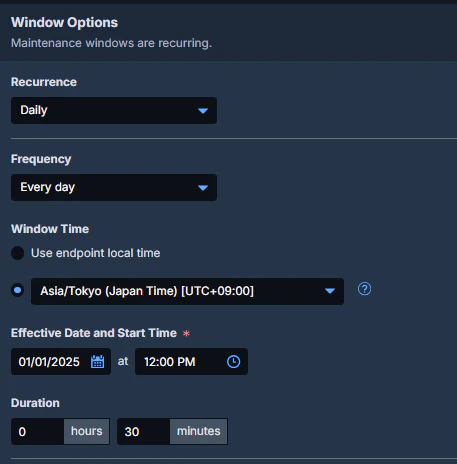
その他の例:正午から30分間のみ配布する
Patchモジュールでは、設定がなければ、いつでも配布される。
3.参考URL
Patchについて
https://help.tanium.com/bundle/ug_patch_cloud/page/patch/setting_maintenance_windows.html
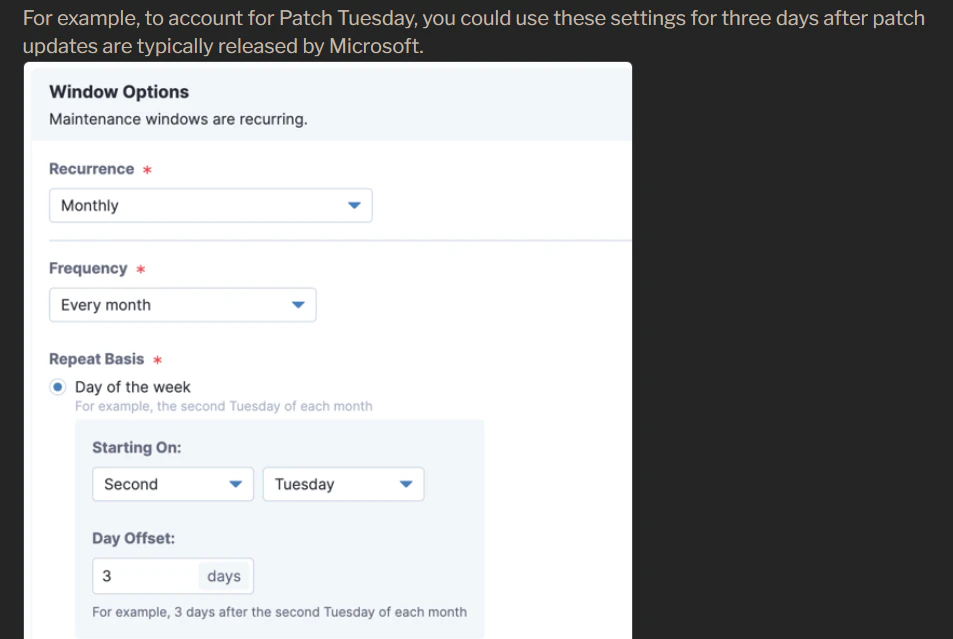
下記は、パッチチューズデーの第二火曜から3日後に毎月QU配信する、というスケジュール定義になります。