
まとめページに戻る
Trailhead関係 年月で整理に戻る
参照して頂くのは結構ですが、そのまま内容を丸ごとコピーするような行為は控えて欲しいです。一応時間を掛けて作っているので、その点はご考慮願いたいです。
なるべく、回答の中身も転記しておきます。結構な割合で質問者さんが黒歴史を消したいのか質問自体を削除しますので... 最良の答えとしてもらっても即消されることは大変多いです。回答しても20%くらいは即質問を消している感じです。以前より確実に増えています。
改めて2月に投稿された質問で私が答えたものを見ましたが、7割は全く反応はないです。おそらくこの Communityに対してボットで質問を投稿しているではないでしょうか?過去の質問を参考に生成AIで質問を作っているのですが、AIの精度が低いのか私の回答に対する返答まではAIで生成できていないか、返答を自動化できていないものと思います。まあ、本当は困って質問をしているわけでないことは明確ですね。ボットでない3割は何かしらの返答がすぐにあるので、こっちは本当に困っていたと思われます。
こういう場ではAIボットの使用は止めて欲しいです。
追記:2026年4月は回答してもまったく反応はありません。以前は日本人の質問者さんは6割は何かしらの反応がありましたが、今月はほぼ反応なしですね。日本語の投稿であっても実はAIボットなのかもしれません。日本でもAIボットがかなり使われてきたということでしょうかね。英語の投稿はまず、何も反応はないです。完全にAIボットみたい。
We didn't find any Salesforce accounts linked to your Trailblazer.me profile. To create an account, sign up for a free trial of Salesforce.
solution I found :
When the system asks you to login with your Trailhead account, DO NOT USE the email field, click on SALESFORCE account instead (see screenshot).
https://trailhead.salesforce.com/trailblazer-community/feed/0D5KX000000N2UG0A0
error authenticating with the refresh token due to expired access/refresh token
The Developer Console didn't set the DEVELOPER_LOG trace flag on your user. 有効な追跡フラグがあると、デバッグログがトリガーされます。最大 1,000 MB のデバッグログのうち 1,003 MB を保持しています。追跡フラグを編集する前に、いくつかのデバッグログを削除してください。

Explore Non-Visit-Based Dynamic Assessments
I ended up raising a Case with Salesforce. Apparently there is a missing step in the trailhead - you have to add the Omni Process Assessment component to the Omni Assessment Task record page under the Detail tab and then your form will appear
We can't find the Type field on the Campaign page layout with the expected field settings.
You need to remove the Extra "email " type from campaign only the type mentioned in superbadge must be in type Field on campaign.
Invalid id: EXTERIORCAMERA
I am assuming this is CPQ Trailhead project. Go back to the org preparation, not the quote step. In a CPQ Trailhead org, run Execute Scripts under Salesforce CPQ package settings. If that does not clear it, use a fresh special CPQ-enabled Trailhead org and redo the project there. The error suggests the org/package setup is bad, not that “Exterior Camera” itself is wrong.
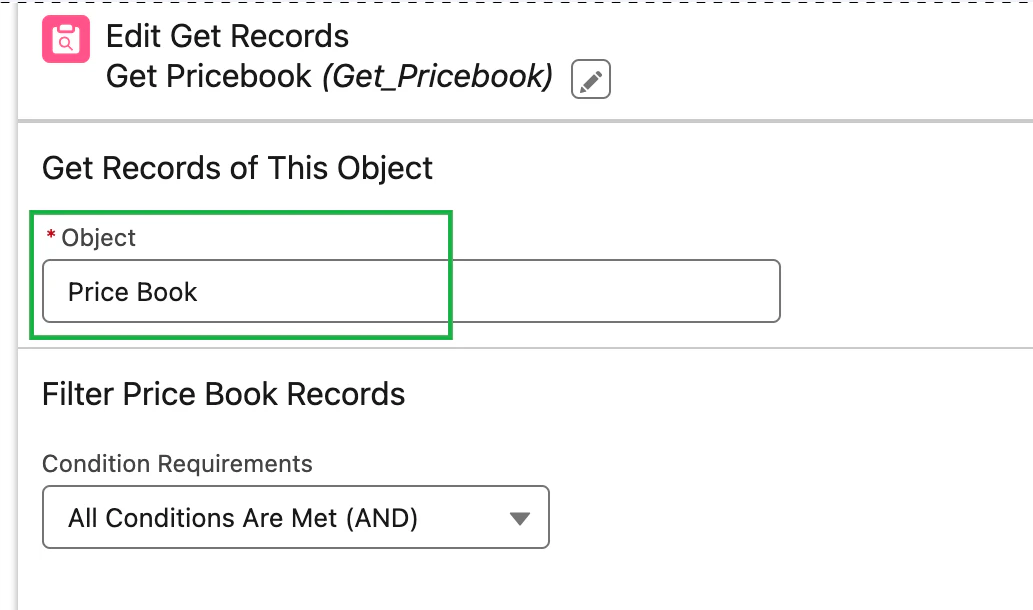
In the Get Pricebook element, we can’t find the object set to 'Pricebook2'.
この質問者には要注意だな
Please check if Pricebook2 is configured correctly.
We can’t find an Apex class named DashboardController.
皆さんこんにちは。私の問題の原因となったいくつかの点が見つかりました。最も重要なのは、最初から同じ組織を使用していることを確認することです。実際、トラブルシューティングに疲れてしまったので、「Agentforce DX 入門」モジュールから始めたところ、@Otsubo Keiji さんが言及していたように、最初は「組織へのデプロイ」の失敗が解決しました。「1. DashboardController.cls は最初に実行されるテストなので、このエラーが発生した場合は、それが存在しないか、何も存在しないか、間違った組織にいるかのいずれかです」。これが機能するまで先に進まないでください。
This installed component is referenced by a locally created component
This something unexpected but we can try to locate “User Adoption” via Metadata (not UI)
-
First Check in Reports with anything names "User Adoption"
-
Also Check in Dashboards named like this or having having report types named "User Adoption"
If found → delete it
An error occurred executing route handler for "de": "Invalid URL"

The similar issue has been reported, but it doesn't seem to be resolved.
I would suggest trying a new playground.
Salesforce Authorization error - AuthorizationError?ErrorCode=Existing_link&startURL=%2F0puQy0000007cGg
今日これに遭遇し、数時間イライラした後、解決しました。私にとってうまくいった方法は、
-
私たちの組織では、外部資格情報プリンシパルアクセス用のアクセス許可セットを使用しており、これは約15個のアクセス許可セットグループに自動的に適用されます。このアクセス許可セットを更新した後、これらのアクセス許可セットグループが完全に再計算されるかどうかは定かではありません。
-
私たちの組織でストレージの問題が発生していました。なぜこれが影響するのかはわかりませんが、Salesforce が更新時に組織の動作を制限しているのかもしれません。同時に、本番環境でストレージの問題が修正され、フルコピー組織を本番環境のライセンスに一致させた後、しばらくしてこの問題も解決しました。
-
実際のアイテム - Workbench にアクセスし、[ユーティリティ] > [REST エクスプローラ] を使用して、次のクエリを実行します: /services/data/v62.0/tooling/query/?q=SELECT+Id,ExternalCredentialId,ParameterName,ParameterType+FROM+ExternalCredentialParameter。私の組織では、3 行が返されました (実際には説明できません)。REST エクスプローラを使用してそれらを削除し、外部資格情報でプリンシパルを再作成し、それを PSG に追加していない単一の権限セット (自分のユーザーのみ) に再追加し、プリンシパルの認証に成功しました。その後、新しい PS を関連する PSG に追加しました。
We couldn’t find a test run for the RewardsCalloutServiceTest class.
To resolve "We couldn't find test run for the RewardsCalloutServiceTest class" in the Apex Callouts Superbadge, you must Run All Tests in the Developer Console, ensuring the @isTest annotation is used correctly on the class and method. The challenge requires capturing test coverage data for the RewardsCalloutService
メールスイート上のAIによる自動応答に対してフィードバックを残せることは確認できました。ただ、このフィードバックがどこに記録されるのか、また、それに関するレポートを作成する方法が分かりません。
メールスイートにある「いいね」/「よくないね」のフィードバックボタン(スクリーンショットで強調表示されている部分)は確かにフィードバックを収集しますが、Salesforceはこれを標準レポートタイプとしてすぐに表示しないため、これは正当な欠点であり、よくある不満点です。
フィードバックは AgentFeedback オブジェクト(組織のバージョンによっては EinsteinFeedback オブジェクト)に保存されます。開発者コンソールで簡単な SOQL クエリを実行することで確認できます。
SELECT Id, FeedbackType, CreatedDate FROM EinsteinFeedback LIMIT 10
レコードが表示された場合は、そのオブジェクトに基づいてカスタムレポートタイプを作成し、そこから通常どおりレポートを作成できます
The New Account Page isn’t upgraded to use Dynamic Forms - challenge not completed despite enabling Dynamic Forms

結論以下手順でチャレンジが完了できました。
こちらのサイトを参考に新規取引先ページ(API:New_Account_Page)を作成する
- 新規取引先ページの動的フォームを有効化
- New Oppotunity Pageのタブに[More Infomation]タブを作成する
- 新規取引先ページの動的強調表示パネルに以下項目を追加
- 種別、業種、評価、電話、取引先所有者
- 新規取引先ページの動的強調表示パネルに以下アクションを追加
編集、新規ケース、新規商談、新規取引先責任者
Error "Maintenance expired on 2000-01-01" Occurs When Activating With a USL Key for Tableau Desktop/Prep

Please check this article.
Approval Post Templatesでnew template option がない
Try using the button at the end of the arrow.

error 363976739
I solved with another org.
The Heroku AppLink service is not enabled in this organization
Well, I must confess my (apparent) ignorance. I was trying to do all this against my DevHub account. It seems that this should be possible, but I had forgotten that the preferred way to do development was by creating scratch orgs. So I created a scratch org, with an Enterprise License, found and enabled the "Manage Heroku Applink" permission for the generated System Administrator user, and was able to complete the AppLink connection.
It appears there are different "levels" of DevHub accounts/orgs. So my first attempts might have worked for a differently-provisioned DevHub account. That's a research project, perhaps, for another day.
File name mismatch with class name:
It's because your file name i.e., classname.cls does not match with your classname in the code/metadata.
If class name is 'MyClass' & the filename is 'myClass' then there's a discrepency. This may occur if someone updates the classname at a later stage.We have faced the same issue during deployment & updating the class name in the code similar to the .cls filename solved the issue.
https://trailhead.salesforce.com/trailblazer-community/feed/0D54V00007T4SwHSAV