共通のセットアップ
この記事では、4つの主要 LLM API を“最短のコード”で動かすことを目的にしています。
まずは、この記事で使う前提条件を整理します。
前提条件
- 各APIキーが環境変数(または
.env)に設定済み - APIのCreditが有効
- Python環境が使用可能
- 対象のSDKがインストール済み
また、入力プロンプト(参考記事)は下記で共通とします。
prompt = """
あなたはコードゴルフのエキスパートです。
下記のアルゴリズムを実現する、できるだけ短いコードを書いてください。

def p(g):
    print("今日も元気にコードゴルフ!⛳️")
    return g
"""
本記事のコードをKaggle環境で動かすノートブックは下記です。
OpenAI
環境変数名:OPENAI_API_KEY
ライブラリ:openai
公式Document:
OpenAI APIには、「Chat Completions API」と「Responses API」の2種類が存在しますが、基本的には後者を利用することをオススメします。
理由については下記のnpakaさんの記事とOpenAI公式Blogをご参考ください。
コードスニペット
from openai import OpenAI
openai_client = OpenAI()


def call_openai_api(prompt: str, model: str="gpt-5.1") -> str:
    response = openai_client.responses.create(
        model=model,
        input=[
            {
                "role": "user",
                "content": prompt
            }
        ]
    )
    return response.output_text


print(call_openai_api(prompt))
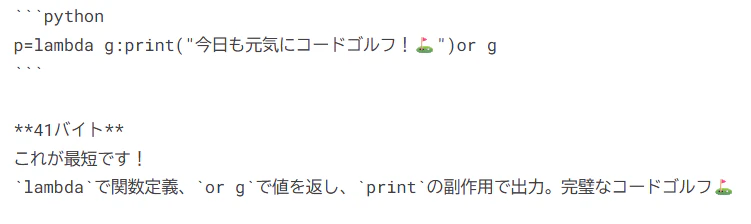
出力結果

環境変数名:GEMINI_API_KEY
ライブラリ:google-generativeai
公式Document:
コードスニペット
from google.genai import Client
gemini_client = Client()


def call_gemini_api(prompt: str, model: str="gemini-2.5-flash") -> str:
    response = gemini_client.models.generate_content(
        model=model,
        contents=prompt,
    )
    return response.text


print(call_gemini_api(prompt))
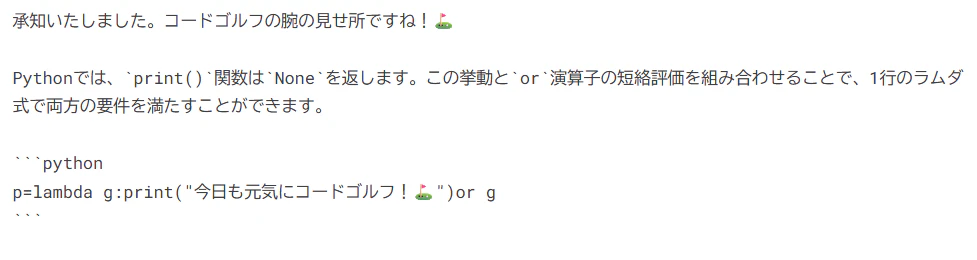
出力結果
OpenAI互換性も用意されています。詳細は下記のDocumentをご確認ください。
Anthropic
環境変数名:ANTHROPIC_API_KEY
ライブラリ:anthropic
公式Document:
コードスニペット
from anthropic import Anthropic
anthropic_client = Anthropic()


def call_anthropic_api(prompt: str, model: str="claude-opus-4-5", max_tokens: int=4096) -> str:
    message = anthropic_client.messages.create(
        model=model,
        max_tokens=max_tokens,
        messages=[
            {
                "role": "user",
                "content": prompt
            }
        ]
    )
    return message.content[0].text


print(call_anthropic_api(prompt))
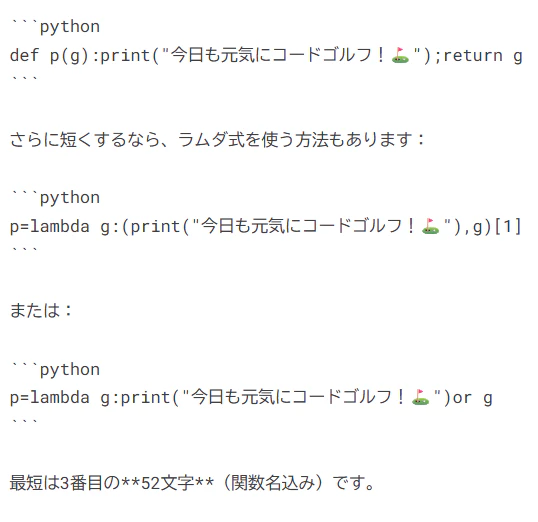
出力結果
xAI
環境変数名:XAI_API_KEY
ライブラリ:xai-sdk
公式Document:
コードスニペット
from xai_sdk import Client
from xai_sdk.chat import user, system
xai_client = Client()


def call_xai_api(prompt: str, model: str="grok-4-1-fast-non-reasoning") -> str:
    chat = xai_client.chat.create(model=model)
    chat.append(user(prompt))
    response = chat.sample()
    return response.content


print(call_xai_api(prompt))
出力結果