
name: Print Secrets
on: push
jobs:
  run:
    runs-on: ubuntu-latest
    env:
      SECRET1: ${{ secrets.GITHUB_TOKEN }}
      SECRET2: ${{ github.token }}
    steps:
      - run: echo "${SECRET1}"
      - run: echo "${SECRET1:0:1} ${SECRET1#?}"
      - run: echo "${SECRET2}"
      - run: echo "${SECRET2:0:1} ${SECRET2#?}"
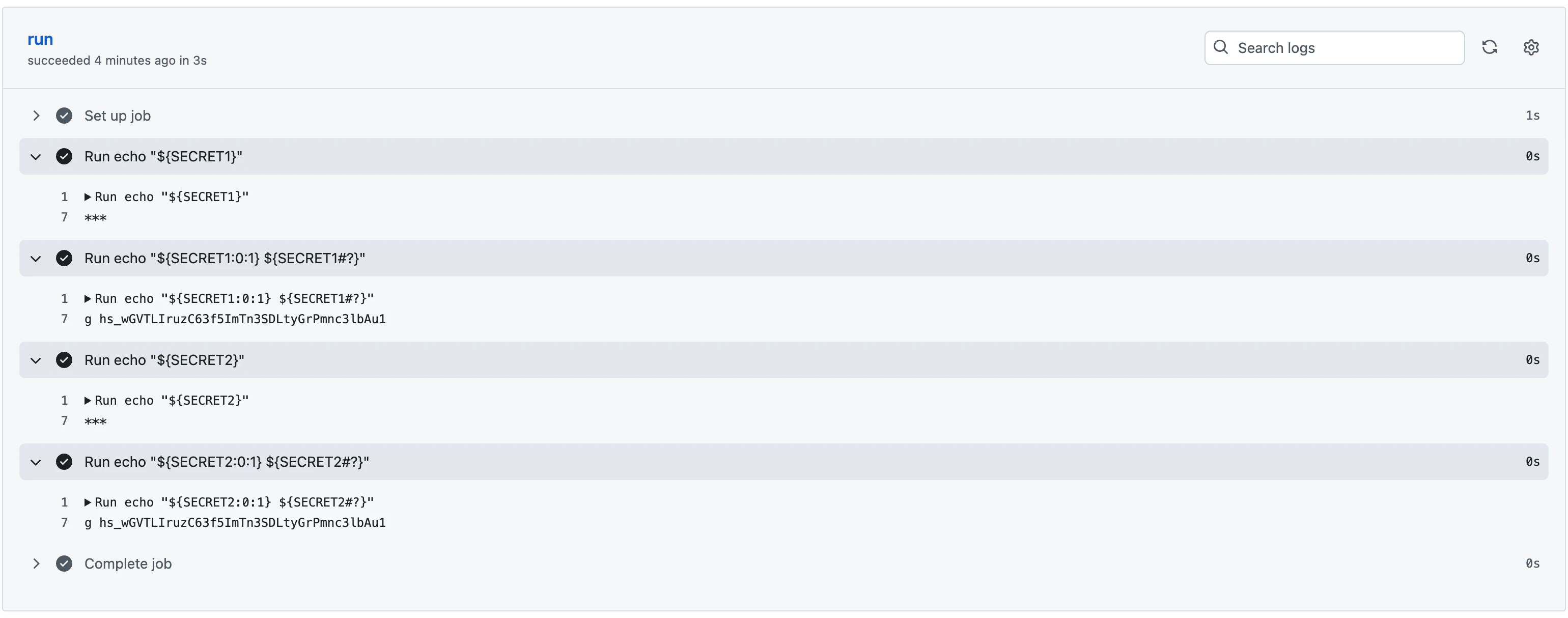
tokenの内容
tokenの内容には同じ値が入る。
注意点
メタ構文ではsecretsコンテキストにアクセスできない。
そのため、下記のような記述はできない。
env:
  GITHUB_TOKEN: ${{ secrets.GITHUB_TOKEN }}
メタ構文とは?
メタデータファイルで使われる書き方。
メタデータファイルとは?
アクションを実装するファイル。
- 入出力インターフェイス
- メインロジック
- メインロジックへのエントリーポイント
などを書くことができる。
アクションとは?
ワークフロー内で実行される 処理の単位(再利用可能な機能ブロック)
アクションの実装方式
以下の3つの方式がある。
- Composite Action
- JavaScript Action
- Docker Container Action
メタデータファイル内のどこを見ればアクションの実装方式がわかる?
using に記載される。
runs:
  using: "composite"
  steps:
    - run: ${{ github.action_path }}/test/script.sh
      shell: bash