

Amazon EKS作成時にハマったことをまとめてみました。
なんかkubectlの権限足りない
EC2からkubectlコマンドを打鍵すると権限不足になる。
$ kubectl  get node
Error from server (Forbidden): nodes is forbidden: User "system:node:i-xxx" cannot list resource "nodes" in API group "" at the cluster scope: node 'i-xxx' cannot read all nodes, only its own Node object
AIに聞いてみたところ、
ポイントは EKSには「IAM認証」と「Kubernetes認可」の2段階があることです。
だそうです。
いや、それはわかっている!知りたいのはそうじゃない!
解決方法
EKSのアクセスエントリが正常に設定されていなかったので、EC2で使用しているIAMロールで設定してあげました。
ちなみに、AmazonEKSClusterAdminPolicyとAmazonEKSAdminPolicyのポリシーは別物という罠もありました。
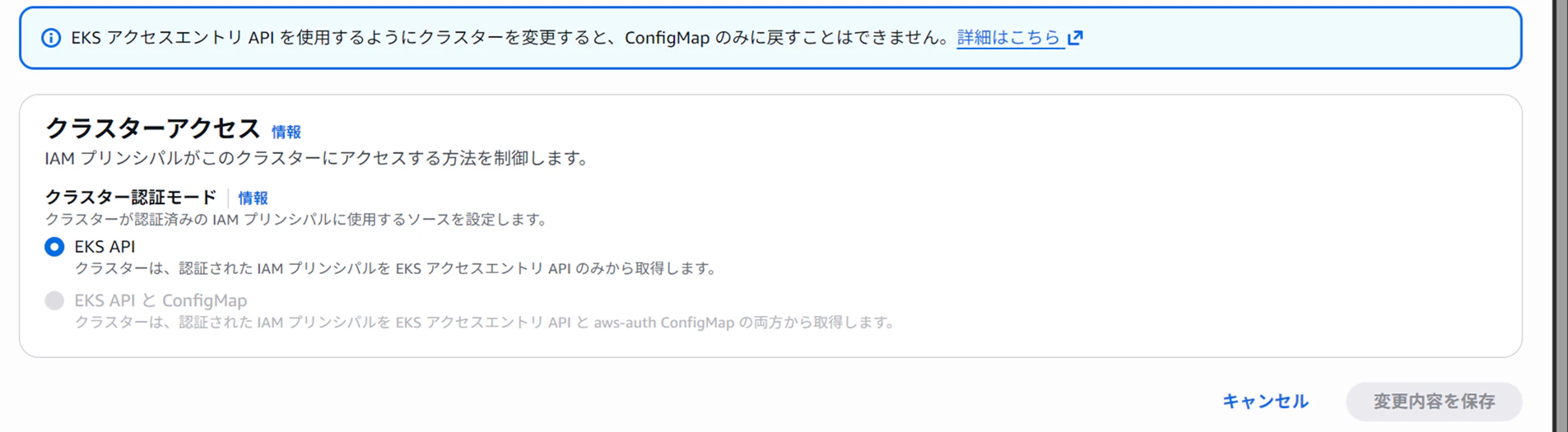
アクセスエントリのタイプをEC2_Linuxにするとポリシー設定できなくなるので、EC2からNodeを取得可能にするため、Standardタイプで回避しています。
resource "aws_eks_access_entry" "ec2" {
  cluster_name      = var.cluster_name
  principal_arn     = var.ec2_role_arn
  type              = "STANDARD"
  depends_on = [aws_eks_cluster.cluster]
}

resource "aws_eks_access_policy_association" "ec2_role" {
  cluster_name  = var.cluster_name
  policy_arn    = "arn:aws:eks::aws:cluster-access-policy/AmazonEKSClusterAdminPolicy"
  principal_arn = var.ec2_role_arn

  access_scope {
    type       = "cluster"
  }
  depends_on = [aws_eks_cluster.cluster]
}
aws-authを変更する方法をよく見かけるが。。。
aws-auth Configmapは非推奨になっています。
どちらにしても今回は認証モードにConfigmapを含めていないので、aws-auth Configmapがなくて変更不可。
CSIDriverアドオンがデプロイできない
調べてみたらエラー出ていました。
認証認可がおかしくなっていそうですね。
E0414 12:22:56.119155 1 main.go:185] "Failed to create CSI client" err="failed probing CSI driver: CSI driver probe failed: rpc error: code = FailedPrecondition desc = Failed health check (verify network connection and IAM credentials): dry-run EC2 API call failed: operation error EC2: DescribeAvailabilityZones, get identity: get credentials: failed to refresh cached credentials, failed to retrieve credentials, operation error STS: AssumeRoleWithWebIdentity, exceeded maximum number of attempts, 3, https response error StatusCode: 400, RequestID: <ID> InvalidIdentityToken: No OpenIDConnect provider found in your account for https://oidc.eks.ap-northeast-1.amazonaws.com/id/XXXX
解決方法
IDプロバイダ作成されていなかったので作成しました。
コンソール上のEKS概要の画面だとプロバイダができているように見えるのが罠でした。
locals {
  oidc_issuer       = data.aws_eks_cluster.eks.identity[0].oidc[0].issuer
  oidc_provider_url = replace(local.oidc_issuer, "https://", "")
}

resource "aws_iam_openid_connect_provider" "cluster" {
  url = local.oidc_issuer
  client_id_list = ["sts.amazonaws.com"]
  depends_on = [aws_eks_cluster.cluster]
}
ローカルPCからNode Portにアクセスできない
解決方法
検証環境なのでそんなに厳重にする必要がなく、EKSクラスタ作成時に生成されるクラスターセキュリティグループに通信許可を入れました。(ポート範囲:30000 - 32767)
各ノードのインスタンスはクラスターセキュリティグループ含める形になっているのでノードに変動が起きても許可される方法になっています。