SonarQube について
そもそも SonarQube って何?
ソースコードの品質とセキュリティを自動的にチェック・可視化するための静的解析プラットフォーム。
バグや脆弱性、保守性に影響する コードスメル を検出し、開発チームが継続的に健全なコードを維持できるように支援してくれる優れもの。
SonarQube のエディションと料金体系
| エディション | 主な特徴 | 料金体系 |
|---|---|---|
| Community ( 無料版 ) | 常に無料 最大 5 万行のプライベートコード解析 無制限の公開プロジェクト解析 30 言語対応 |
無料 |
| Developer | Community の機能に加え、ブランチ解析やプルリク解析 追加言語サポート ( C/C++ など ) 高度なセキュリティ検出 |
行数課金制 例: 10 万行で約 14,470 円 / 年 100 万行で約 36 万円 / 年 |
| Enterprise | Developer 機能に加え、ポートフォリオ管理や詳細レポート SSO、SLA、専用サポート 大規模組織向け |
営業問い合わせ ( 見積もり制 ) |
| Data Center | Enterprise 機能に加え、冗長化・高可用性対応 大規模分散環境向け |
営業問い合わせ ( 見積もり制 ) |
Community 版では C/C++ の解析はできないの?
公式の機能だけではできません。
しかし、SonarQube C++ Community plugin (cxx plugin) を追加することで可能になります。
この記事では1つの docker-compose.yml のみで、SonarQube サーバの立ち上げから SonarQube C++ Community plugin (cxx plugin) プラグインの導入までを自動で行う方法を紹介します。
docker-compose.yml 全文
image に設定している TAG は、本記事執筆時点の最新版です。
PostgreSQL の image を latest に設定する場合は、SonarQube がサポートしている PostgreSQL のバージョンであることを事前に確認しておきましょう。
学習目的であれば、ひとまず下記の docker-compose.yml をそのまま使用するのが安全です。
docker-compose.yml
services:
  db:
    image: postgres:16.11
    environment:
      POSTGRES_USER: sonar
      POSTGRES_PASSWORD: sonar
      POSTGRES_DB: sonar
    volumes:
      - postgresql:/var/lib/postgresql/data

  init-plugins:
    image: curlimages/curl:8.17.0
    user: root
    command: >
      sh -c "curl -L -o /plugins/sonar-cxx-plugin.jar
      https://github.com/SonarOpenCommunity/sonar-cxx/releases/download/cxx-2.2.1/sonar-cxx-plugin-2.2.1.1248.jar"
    volumes:
      - sonarqube_extensions:/plugins

  sonarqube:
    image: sonarqube:25.11.0.114957-community
    depends_on:
      - db
      - init-plugins
    environment:
      SONAR_JDBC_URL: jdbc:postgresql://db:5432/sonar
      SONAR_JDBC_USERNAME: sonar
      SONAR_JDBC_PASSWORD: sonar
    ports:
      - "9000:9000"
    volumes:
      - sonarqube_data:/opt/sonarqube/data
      - sonarqube_logs:/opt/sonarqube/logs
      - sonarqube_extensions:/opt/sonarqube/extensions/plugins

volumes:
  postgresql:
  sonarqube_data:
  sonarqube_logs:
  sonarqube_extensions:
docker-compose.yml を保存したディレクトリ内で、下記のコマンドを実行しましょう。
docker-compose up -d
http://localhost:9000 にアクセスして、管理者アカウント ( Login: admin / Password: admin ) を使用してログインします。
ログイン直後にパスワードの変更を求められるので、パスワードの要件を満たすものに変更してください。
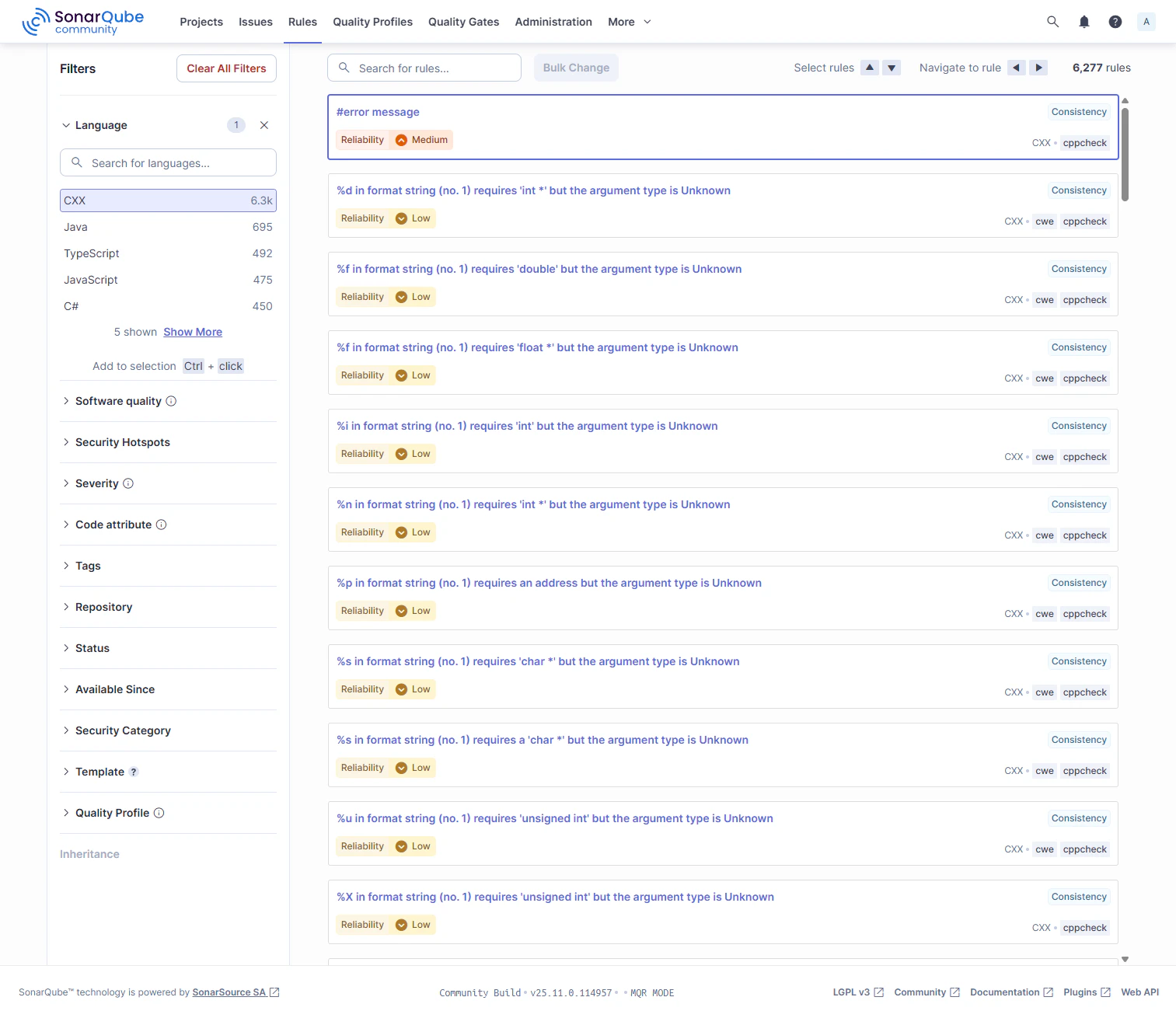
無事にログインが成功したら Rules > Language 配下に CXX が表示されているはずです。