4
2

Delete article

Deleted articles cannot be recovered.

Draft of this article would be also deleted.

Are you sure you want to delete this article?

【VsCode】【C++】ターミナルで日本語文字化けする対策【Winodws】

4
Last updated at Posted at 2025-10-28

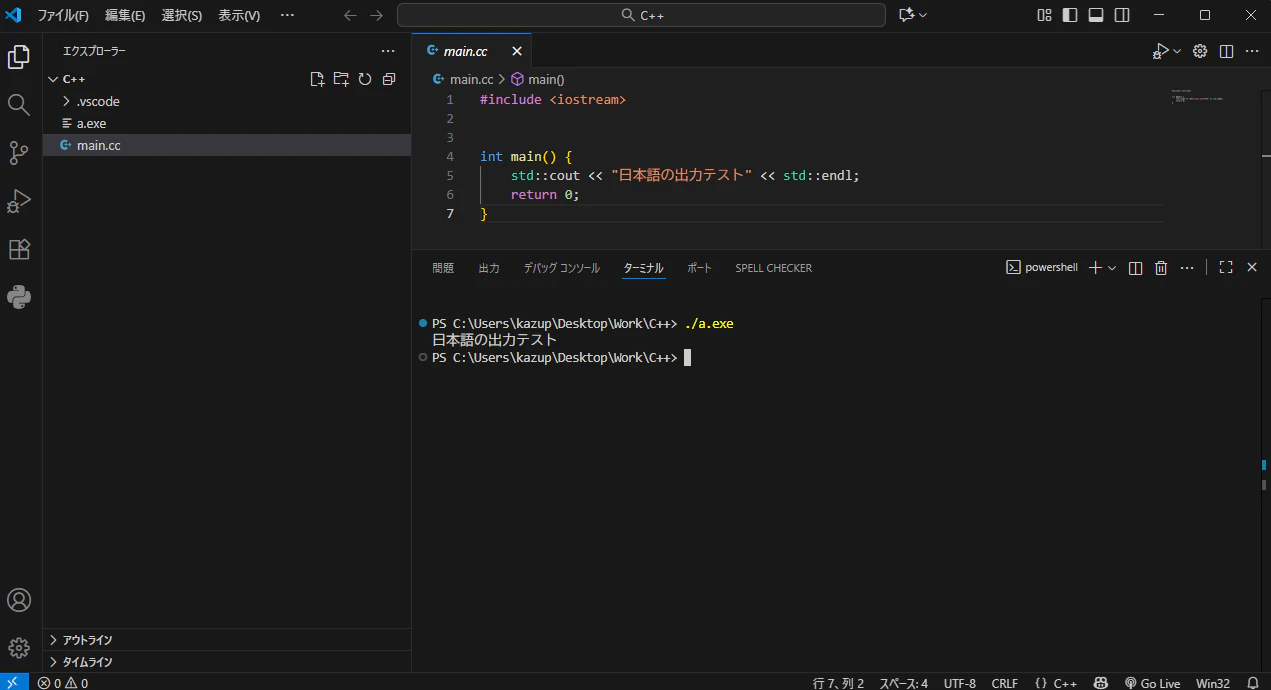
VsCodeを用いてC++の学習中にターミナルで文字化けする問題が発生。
ネット検索でchcp 65001 を入力する解決方法を見つけて試したが、文字化けしたまま。

スクリーンショット 2025-10-28 143922.png

さらにネット検索して、以下の方法を見つけて解決した。

※設定変更に対応できていないソフトで正しく表示されなくなる可能性があるので注意
 ちなみに、私の環境でそういうソフトは現状見つかってません。

1.タスクバーの検索フォームで「intl.cpl」と入力し、「地域」設定画面を起動する。
 その後、「管理」タブの「システムロケールの変更」をクリックする。
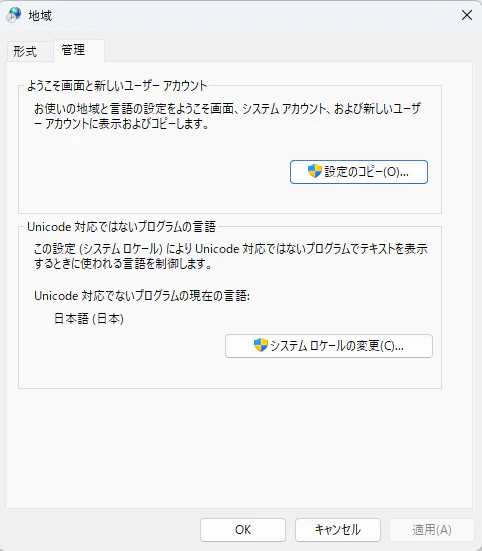
  スクリーンショット 2025-10-28 144038.png

2.「ワールドワイド言語サポートで Unicode UTF-8 を使用」にチェックを入れる。
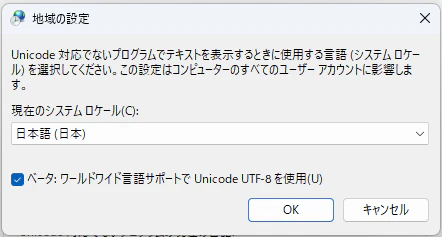
 スクリーンショット 2025-10-28 144135.png

3.PCの再起動を求められるので、実施しても問題ないことを確認して「今すぐ再起動」ボタンを押す。
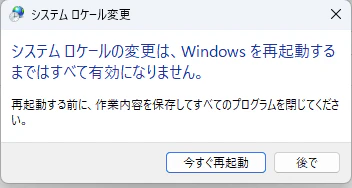
 スクリーンショット 2025-10-28 144159.png

PC再起動後にプログラム実行して、文字化けしないことを確認。
スクリーンショット 2025-10-28 144421.png

時間掛かったけど、解決できて良かった!

4
2
2

Register as a new user and use Qiita more conveniently

  1. You get articles that match your needs
  2. You can efficiently read back useful information
  3. You can use dark theme
What you can do with signing up
4
2

Delete article

Deleted articles cannot be recovered.

Draft of this article would be also deleted.

Are you sure you want to delete this article?