
はじめに
当方のClaude Codeについて
- Claude Code初心者
- 下記記事のおかげでClaude Code GitHub Actionsを使ってissueから
Claude Codeを実行できるようになったレベルです。 - ClaudeはProプランで課金中
Claude Code GitHub Actionsも下記記事をベースにAPI経由ではなく、
Proプランの料金で実行可能となっております。
Githubのissueでエラーが発生した事象
@Claudeでメンションしてコメント登録したところ、エラーが発生。

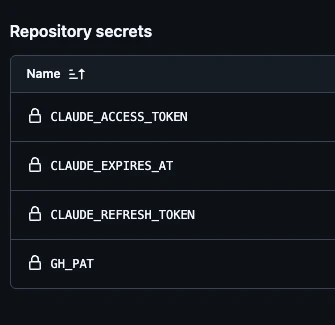
下記のシークレットキーは最新の状態にしてもエラー解消されず、、、
原因
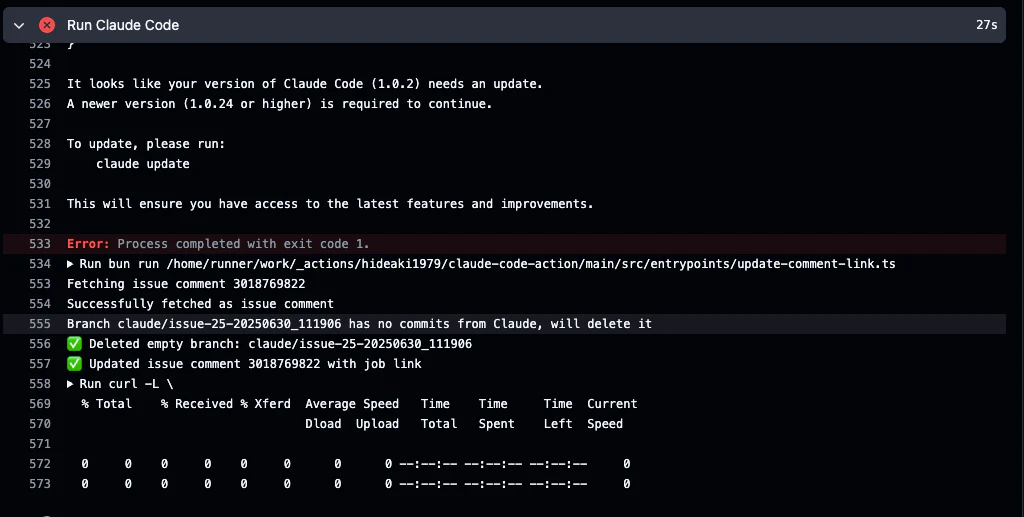
原因は下記画像にもあるこの一文。
「It looks like your version of Claude Code (1.0.2) needs an update.
A newer version (1.0.24 or higher) is required to continue.」
自分のPCでは都度最新版にUPDATEしているし、
どこでバージョンの設定をしているんだろうと、原因がわからず試行錯誤していたら、
上記記事をもとにForkしたレポジトリ(claude-code-base-action)の
action.ymlでClaude Codeのバージョン指定でインストールしているコマンドを発見。
対応
添付画像の通り、Claude Codeのバージョン指定をエラー文にあった
1.0.24に修正。

修正後確認
対応後に再度issueからメンションしてコメントしたところ、
正常にClaudeでのコーディングが成功しました。

Claude Codeは更新のサイクルが早く、
1週間触れてないと、急に動かなくなることがあるので、
逐次起動を行って、エラーが出たら対応することを習慣づけながら
理解を深めて行きたいと思います。
PS
PlayWrightのMCPの接続エラーが出て、対応したのですが、
すっかり対応手順を忘れてしまった。。。