Delete article

Deleted articles cannot be recovered.

Draft of this article would be also deleted.

Are you sure you want to delete this article?

This article is a Private article. Only a writer and users who know the URL can access it.
Please change open range to public in publish setting if you want to share this article with other users.

Windows 11 コマンドラインツールを常に管理者として実行する方法

0
Posted at

はじめに

備忘録です。コマンドラインツールを常に管理者実行する設定を行います。

改訂履歴

  • 2026/07/17 : 初版公開。

本文

1. 環境

  • Windows 11 Home 25H2

2. 手順

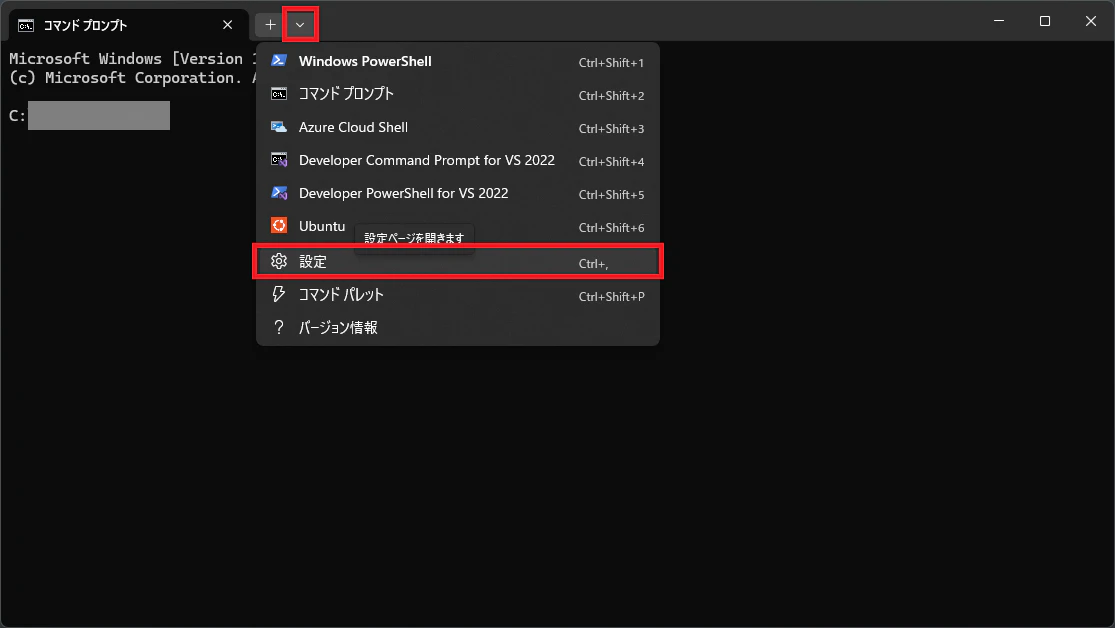
Windows ターミナルから設定画面を開きます。

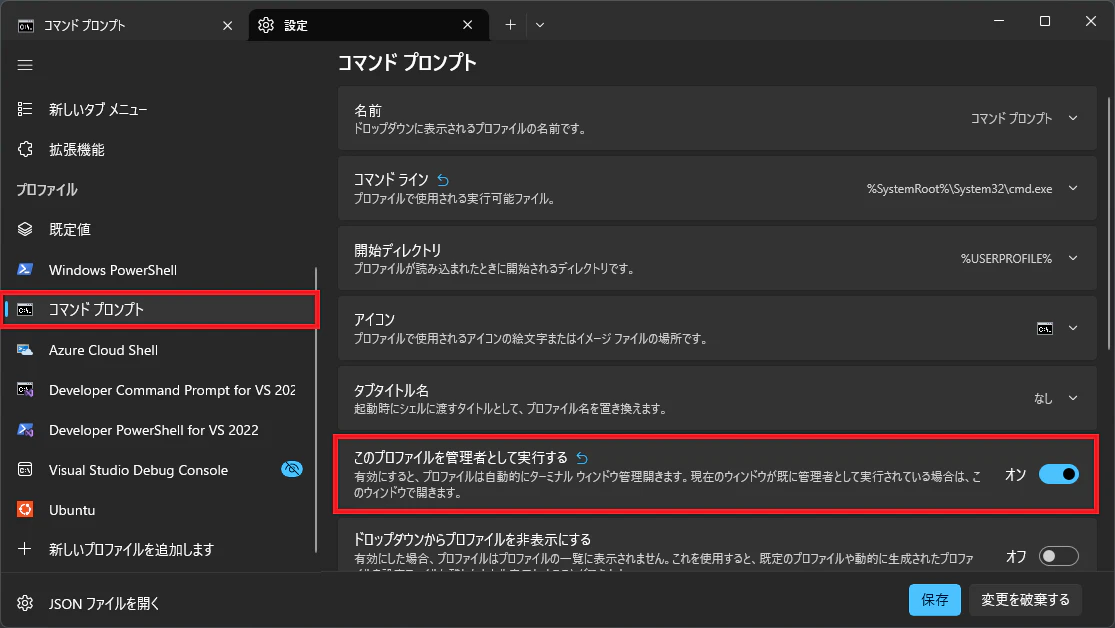
対象ツールのタブから「このプロファイルを管理者として実行」をオンにします。

おわりに

全てのツールを管理者実行するなら、Windows ターミナル自体のプロパティを開いて、ショートカットタブの詳細設定から「管理者として実行」をオンにする方が早いです。

0

Register as a new user and use Qiita more conveniently

  1. You get articles that match your needs
  2. You can efficiently read back useful information
  3. You can use dark theme
What you can do with signing up

Delete article

Deleted articles cannot be recovered.

Draft of this article would be also deleted.

Are you sure you want to delete this article?