Delete article

Deleted articles cannot be recovered.

Draft of this article would be also deleted.

Are you sure you want to delete this article?

This article is a Private article. Only a writer and users who know the URL can access it.
Please change open range to public in publish setting if you want to share this article with other users.

2.3 Simulink ライブラリ roller485lib のインストール

Last updated at Posted at 2025-12-18

 Roller485 用の Simulink ライブラリ

をインストールします.
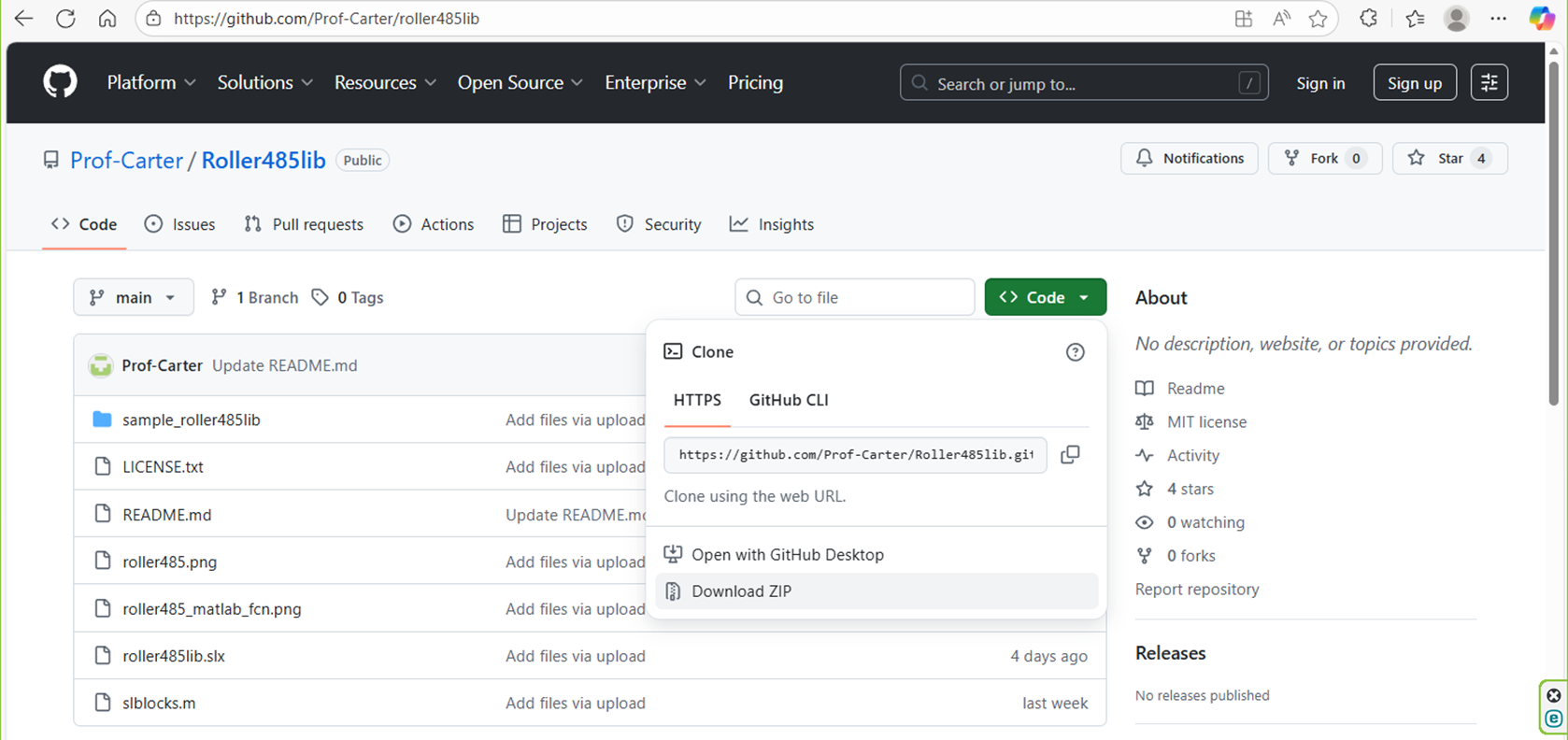
image.png

Download ZIP を選択すると,

  • Roller485lib-main.zip

がダウンロードされるので,解凍(展開)してできるフォルダ Roller485lib-main(のなかのフォルダ Roller485lib-main)を

  • C:\Users\ユーザ名\Documents\MATLAB

にコピペしてください.ファイル構成は

  • MATLAB
    • Roller485lib-main
      • sample_roller485lib
        <フォルダの中身は省略>
      • slblocks.m
      • README.md
      • roller485.png
      • roller485_matlab_fcn.png
      • roller485lib.slx
      • LICENSE.txt

となります.そして,M ファイル

startup.m
% startup.m

addpath('C:\Users\ユーザ名\Documents\MATLAB\Roller485lib-main')

をフォルダ

  • $\tt\mbox{C:\Users\ユーザ名\Documents\MATLAB}$

に保存してください.つまり,

  • $\tt\mbox{C:\Users\ユーザ名\Documents\MATLAB\startup.m}$

としてください.そして,MATLAB を再起動すると,Simulink ライブラリ roller485lib が使用できるようになります.コマンドウィンドウで

>> roller485lib

と入力すると,Simulink ライブラリ roller485lib が開きます.
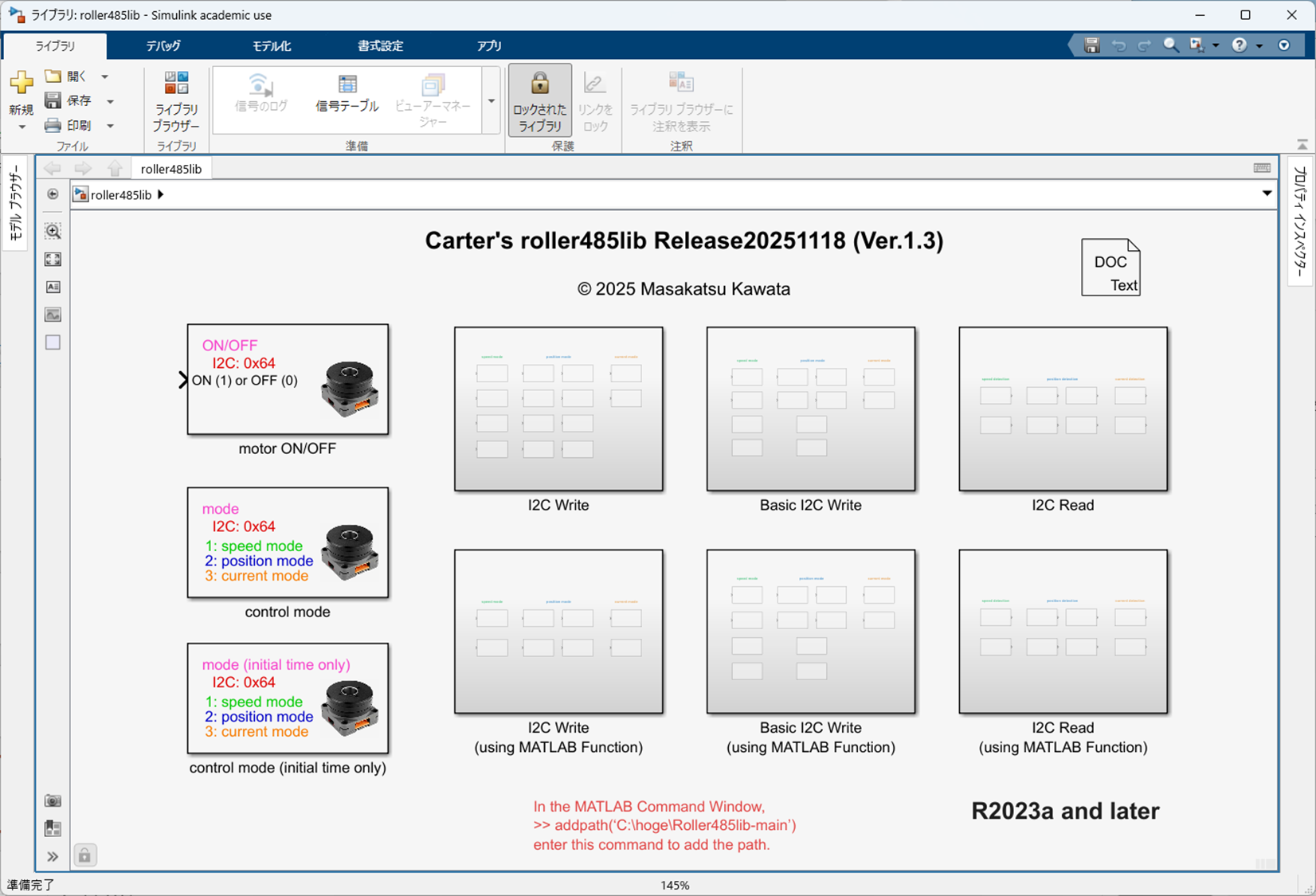
image.png

0

Register as a new user and use Qiita more conveniently

  1. You get articles that match your needs
  2. You can efficiently read back useful information
  3. You can use dark theme
What you can do with signing up

Delete article

Deleted articles cannot be recovered.

Draft of this article would be also deleted.

Are you sure you want to delete this article?