0
1

Delete article

Deleted articles cannot be recovered.

Draft of this article would be also deleted.

Are you sure you want to delete this article?

More than 5 years have passed since last update.

Atomを使うためにとりあえずやったこと

0
Posted at

Atomとは

フリーで使える高機能テキストエディタです。
GitHub製。
読み方は「アトム」らしいけどつい「エイトム」って言っちゃう。

公式サイトはこちら。
Atom : https://atom.io/

こんな感じのエディタです。
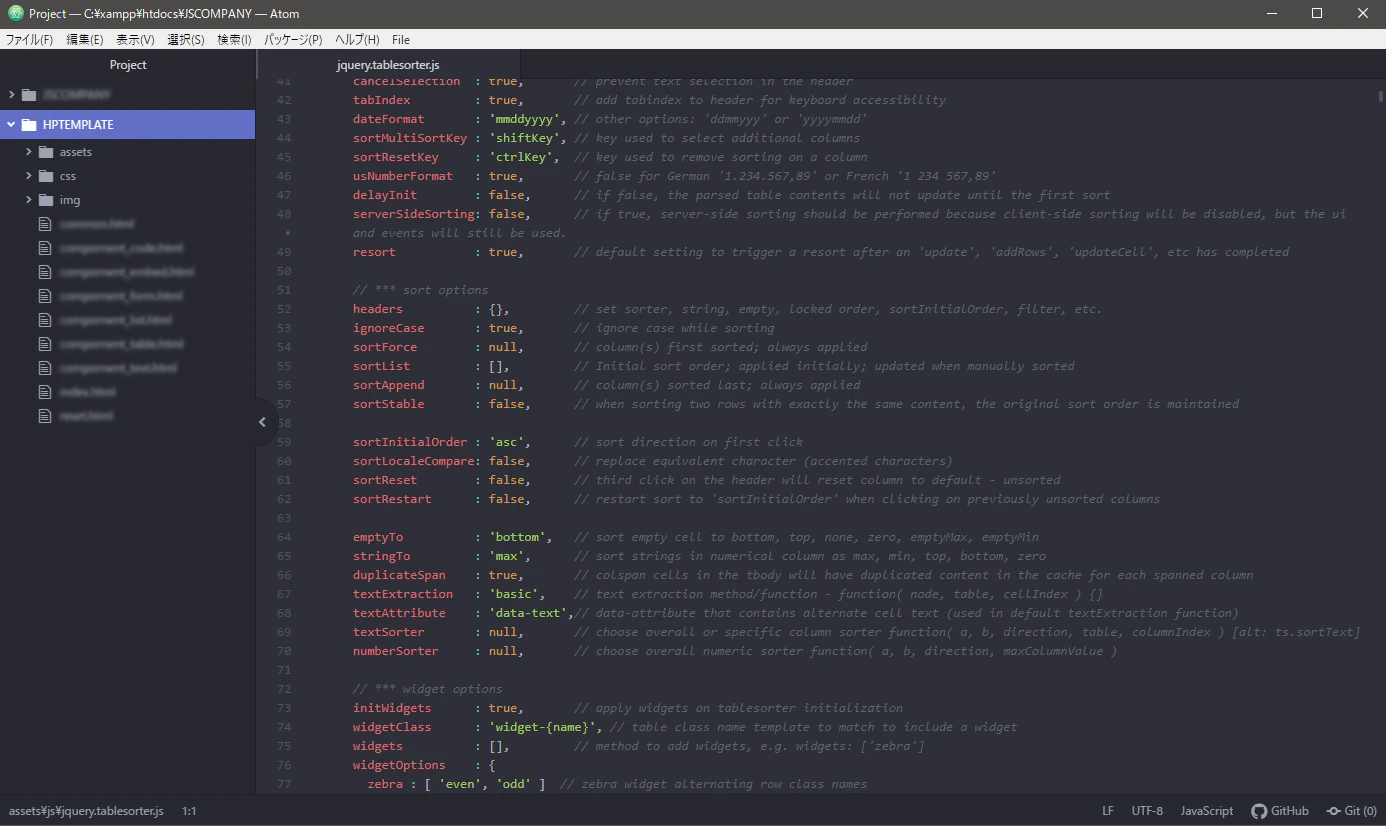
SS20191004_atom1.png

ダウンロードとインストール

私は Windows 10 環境なのでそれで説明していきます。
公式サイトからインストールパッケージをダウンロードしてきます。
ダウンロードしたファイルをダブルクリックするとインストールされます。

日本語化

画面左上のメニューから
File > Settings > Install
と進みます。
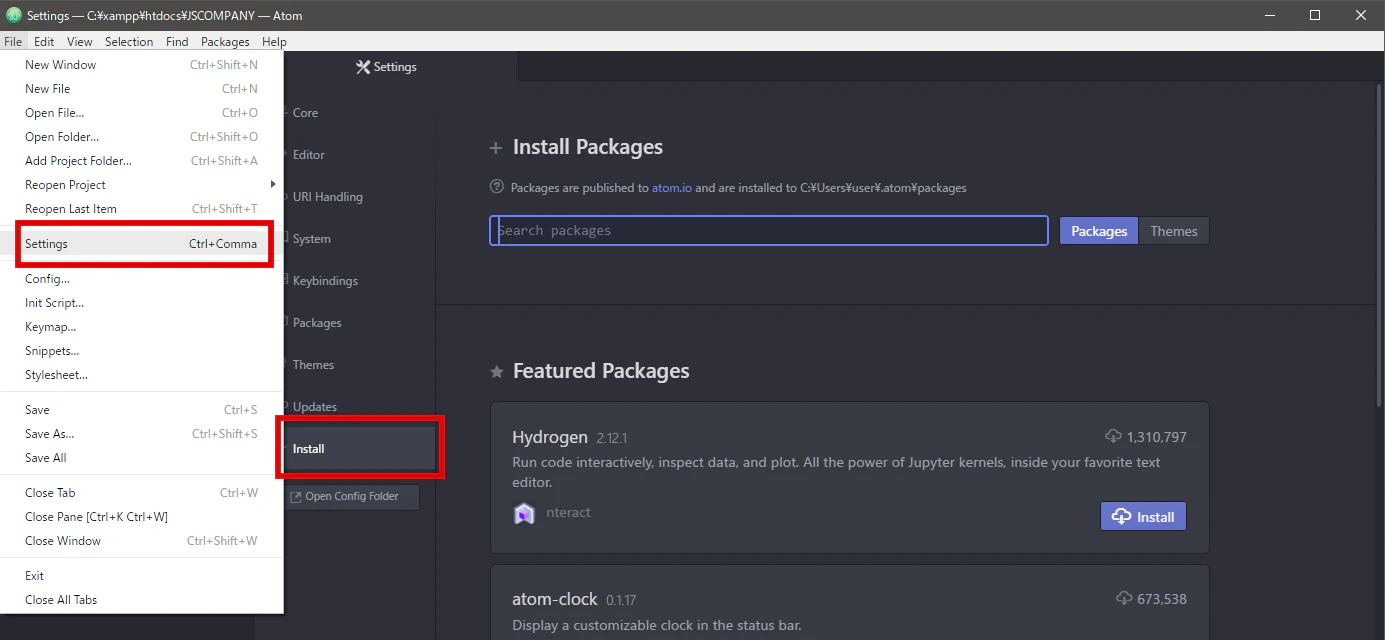
SS20191004_atom2.png

「japanese-menu」と検索して、出てきた以下のパッケージをインストールします。
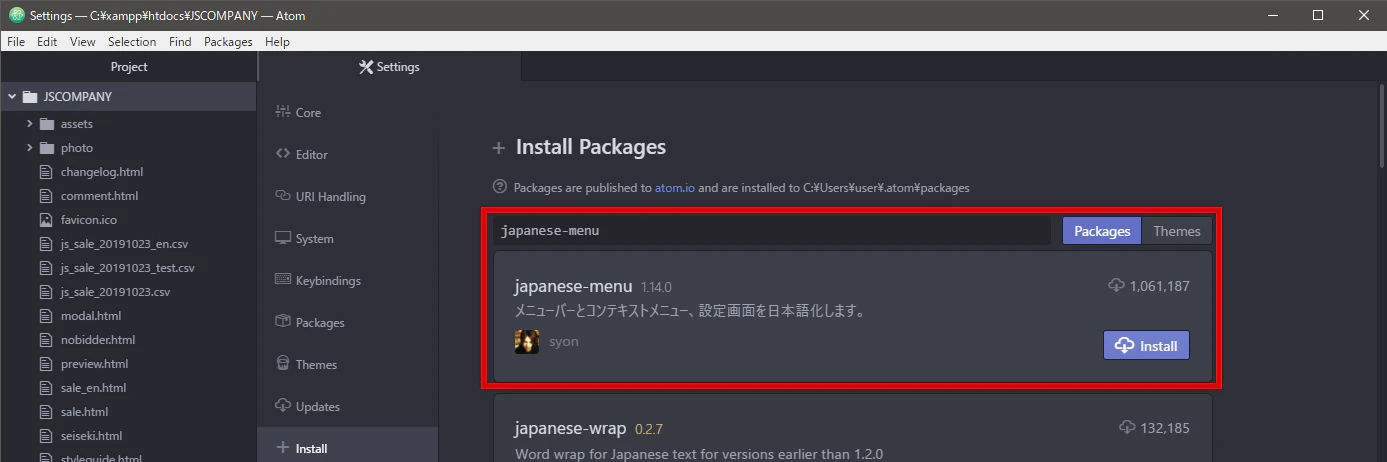
SS20191004_atom3.png

タブが1つしか開かないのを直す

デフォルト状態では「プレビュータブ」というのを使う設定になっていて、一度ファイル名をクリックしてからさらにタブ上のファイル名をダブルクリックするか編集を開始すると複数タブが開けるという仕様になっています。使わないので無効にします。

設定 > コア設定
と進み「プレビュータブを使う」のチェックボックスをオフ。
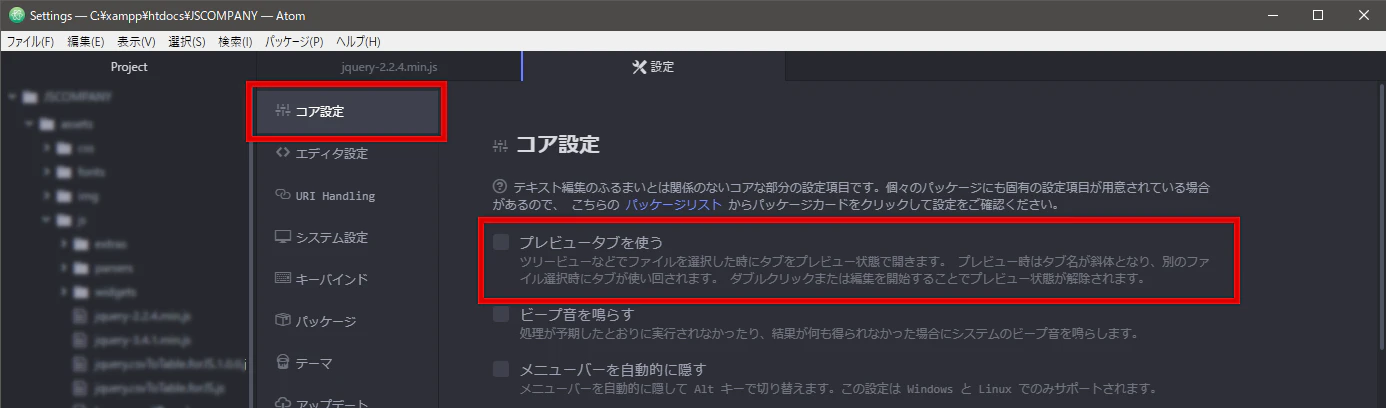
SS20191004_atom4.png

エディタ内の縦線を消す

エディタ内にガイドとなる縦線が入っているので消します。
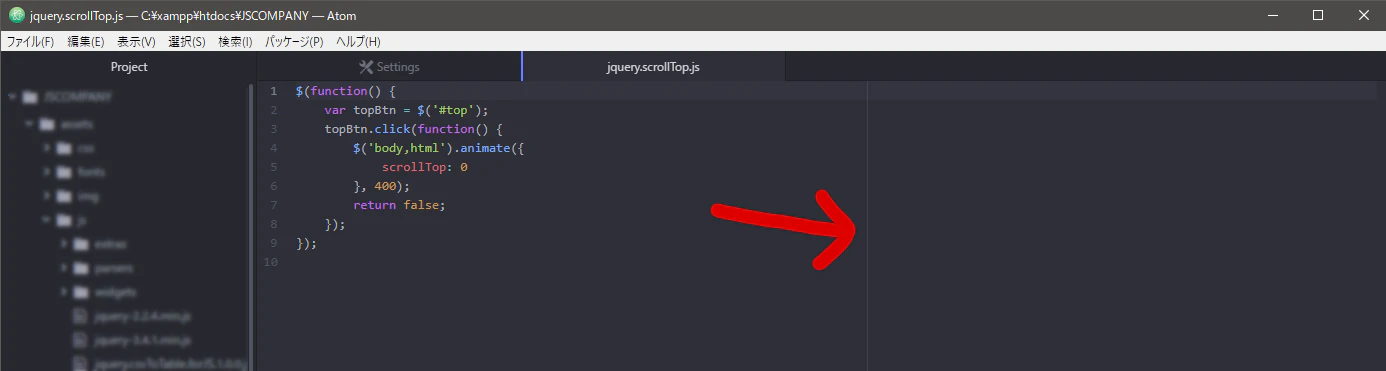
SS20191004_atom5.png

設定 > パッケージ
と進み、コアパッケージの「Wrap Guide」を無効にします。
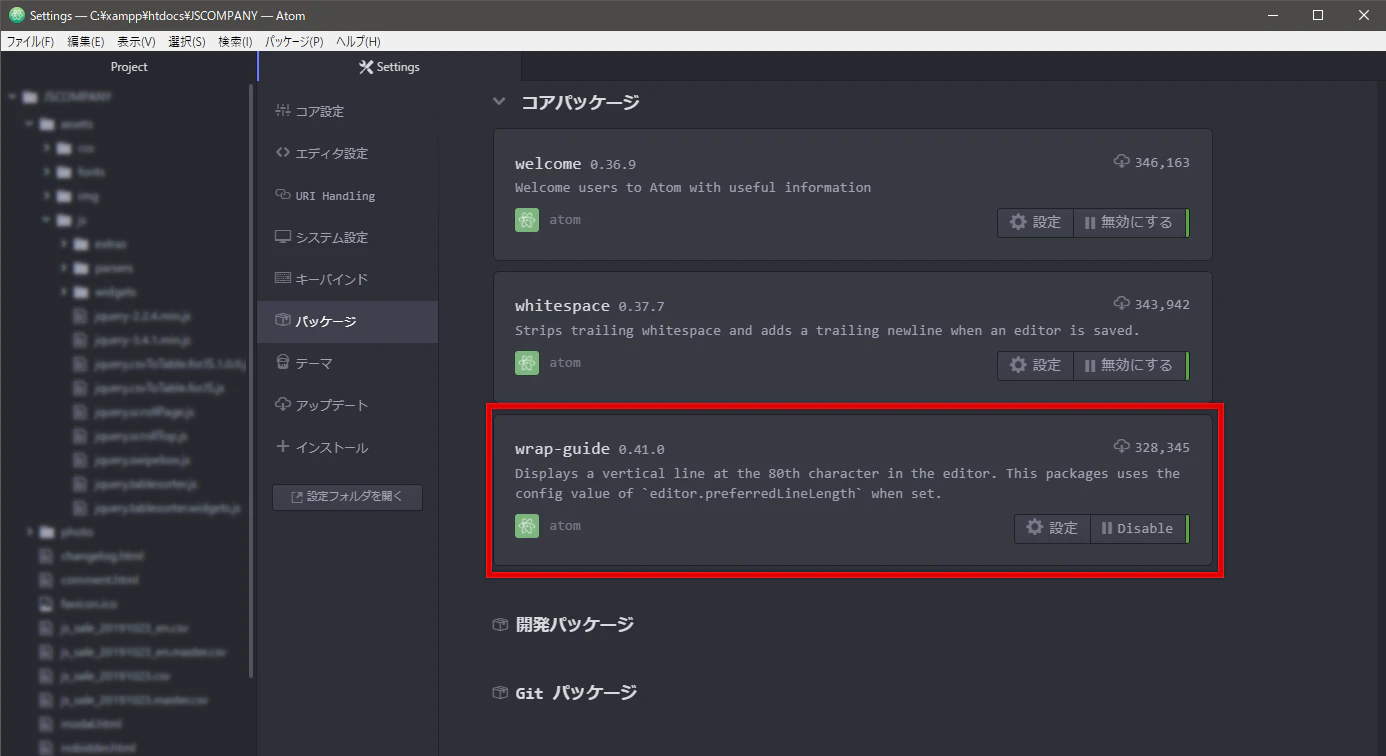
SS20191004_atom6.png

参考にしたサイト・ブログ記事など

0
1
0

Register as a new user and use Qiita more conveniently

  1. You get articles that match your needs
  2. You can efficiently read back useful information
  3. You can use dark theme
What you can do with signing up
0
1

Delete article

Deleted articles cannot be recovered.

Draft of this article would be also deleted.

Are you sure you want to delete this article?