0
0

Delete article

Deleted articles cannot be recovered.

Draft of this article would be also deleted.

Are you sure you want to delete this article?

macOS 26.1 で Cisco Secure Client において UmbrellaのProfileが読み込まれない問題の対応

Last updated at Posted at 2025-11-30

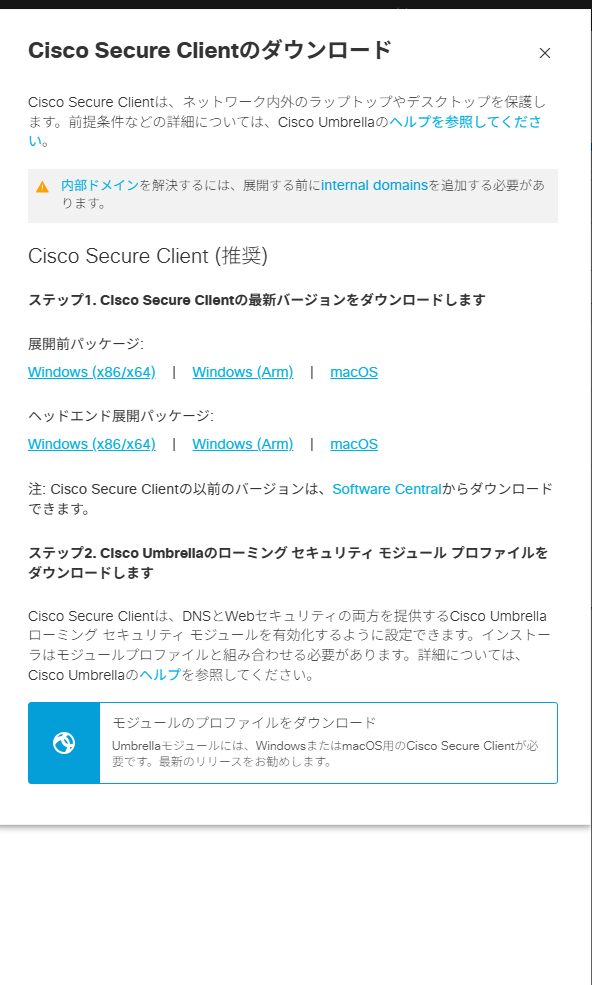
image.png

Cisco Secure ClientをmacOS 26.1にインストールしようとしたところ、
おそらく最新OSには対応していないようで、何度試してもインストールが失敗する状況です。

失敗とは出るものの、「展開前パッケージ」であれば、アプリケーションのインストールはできていて、プロファイルのみが登録できていないようなので、
プロファイルのみを別途登録しようとしたのですが、ヘルプを探しても手順がありませんでした。

手探りで調べたところ、以下の方法でプロファイルの手動登録ができました。

  • 「モジュールのプロファイルをダウンロード」から、OrgInfo.jsonというファイルをダウンロードする。
  • OrgInfo.json を、「/opt/cisco/secureclient/umbrella」にコピー

コピー完了後、Cisco Secure Clientを立ち上げるとすぐにUmbrellaが有効になりました。

※補足:Windows版のパスは C:\ProgramData\Cisco\Cisco Secure Client\Umbrella です。

0
0
0

Register as a new user and use Qiita more conveniently

  1. You get articles that match your needs
  2. You can efficiently read back useful information
  3. You can use dark theme
What you can do with signing up
0
0

Delete article

Deleted articles cannot be recovered.

Draft of this article would be also deleted.

Are you sure you want to delete this article?