
ストリームをPythonに書き出してBobにリスク審査アプリを作成させる

解説動画(60sec)
1.想定される利用目的
・スコアリングプロセスをPoC用にBobでアプリケーション化する
2.サンプルストリームとデータのダウンロード
ストリーム
3.サンプルストリームの説明
ストリームをPythonに書き出す
ストリーム全体を範囲指定してコピーします。ストリームは住宅ローンの審査時点情報とその後の貸し倒れを学習したプロセスです。

メニュー>ツール>ストリームのプロパティ>実行でエディタを表示させます。
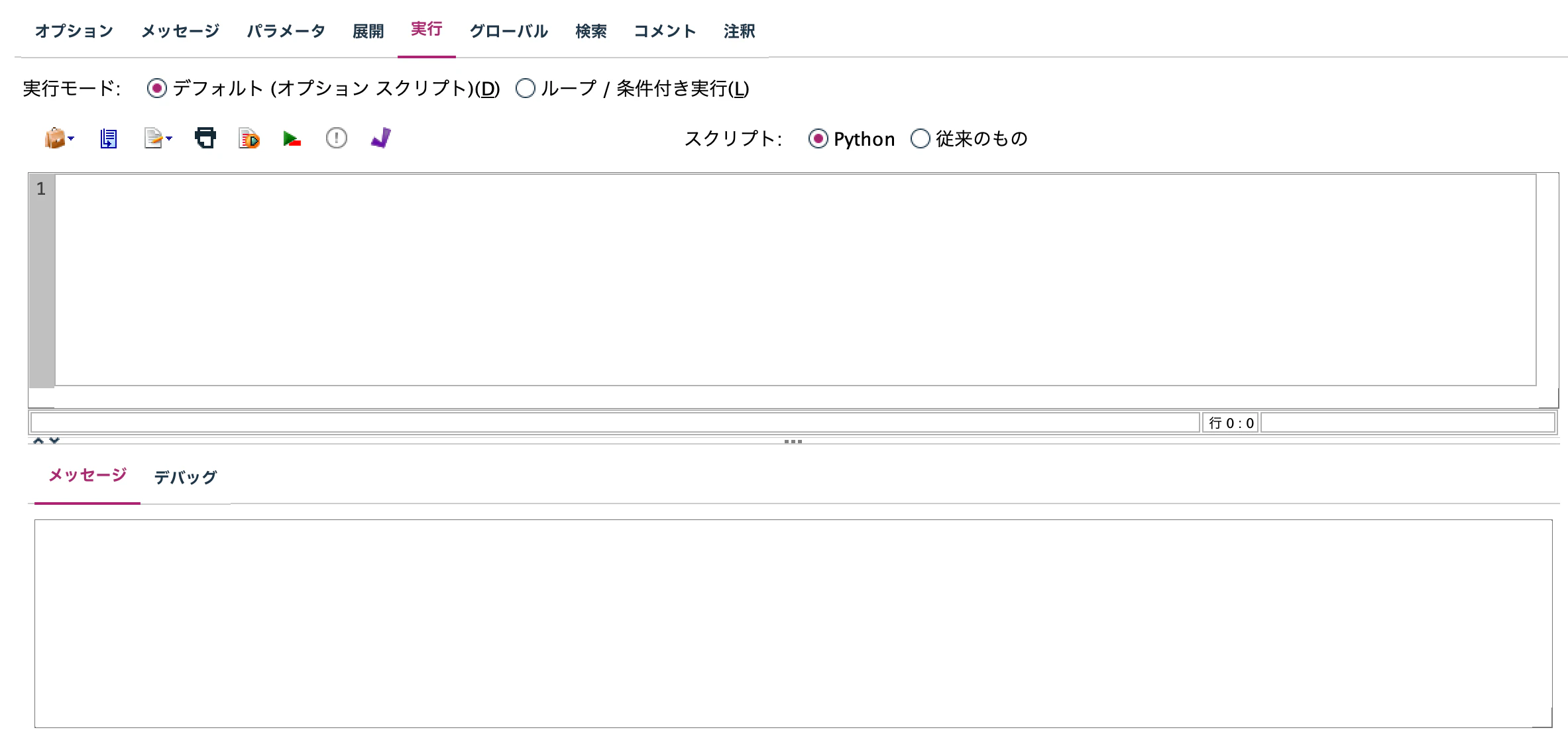
Shift + Ctl + P (Shift + Command + P)キーでストリームをPythonコードに書き出します。

Bobによる審査アプリケーションの作成手順
1.Bobを起動して、作業フォルダを指定します。

2.プロンプトを作成します。先に書き出したPythonを用いたサンプル構文をペーストします。
プロンプト
次のPythonスクリプトを忠実に再現してモデルを作り
新規の申請者向けの
住宅ローン審査のWebアプリケーションを作成してください
色調はダーク系にしてください


partition_node1 = modeler.script.stream().createAt("partition", u"データ区分", 462, 142)
# partition_node1 = modeler.script.stream().findByID("id19XTX6UDW3")
# partition_node1 = modeler.script.stream().findByType("partition", u"データ区分")
partition_node1.setPropertyValue("testing_label", u"検定")


type_node1 = modeler.script.stream().createAt("type", u"データ型", 594, 142)
# type_node1 = modeler.script.stream().findByID("id4WA1ZTF1NKW3")
# type_node1 = modeler.script.stream().findByType("type", u"データ型")
type_node1.setPropertyValue("metadata", [])
type_node1.setKeyedPropertyValue("role", u"貸倒フラグ", u"Target")
type_node1.setKeyedPropertyValue("role", u"顧客番号", u"None")
type_node1.setKeyedPropertyValue("values", u"顧客番号", [null, null])
type_node1.setKeyedPropertyValue("type", u"顧客番号", u"Range")
type_node1.setKeyedPropertyValue("max_list_length", u"顧客番号", 0)
type_node1.setKeyedPropertyValue("field_metadata", u"顧客番号", [u"Range", u"None", u"Specify", [null, null], [], 8, u"None", None])
type_node1.setPropertyValue("default_value_mode", u"Read")
type_node1.setKeyedPropertyValue("max_string_length", u"顧客番号", 8)
type_node1.setPropertyValue("metadata_all", [])
type_node1.setKeyedPropertyValue("missing_values", u"顧客番号", [])
type_node1.setPropertyValue("missing_metadata", [])


chaid_node1 = modeler.script.stream().createAt("chaid", u"CHAID", 594, 247)
# chaid_node1 = modeler.script.stream().findByID("id5QN11K5V2TDJ")
# chaid_node1 = modeler.script.stream().findByType("chaid", u"CHAID")
chaid_node1.setPropertyValue("splits", [])
chaid_node1.setPropertyValue("keywords", u"")
chaid_node1.setPropertyValue("inputs", [u"性別", u"年齢", u"世帯区分", u"婚姻区分", u"支払方法", u"持ち家", u"家賃", u"月収", u"居住年数", u"最終学歴", u"取引年数", u"勤続年数"])
chaid_node1.setPropertyValue("max_depth", 5)
chaid_node1.setPropertyValue("tooltip", u"")
chaid_node1.setPropertyValue("use_costs", False)
chaid_node1.setPropertyValue("min_child_records_pc", 1.0)
chaid_node1.setPropertyValue("objective", u"standard")
chaid_node1.setPropertyValue("set_ensemble_method", u"Voting")
chaid_node1.setPropertyValue("epsilon", 0.001)
chaid_node1.setPropertyValue("custom_name", u"")
chaid_node1.setPropertyValue("use_customize_layer", False)
chaid_node1.setPropertyValue("max_iterations", 100)
chaid_node1.setPropertyValue("calculate_variable_importance", True)
chaid_node1.setPropertyValue("method", u"Chaid")
chaid_node1.setPropertyValue("custom_fields", True)
chaid_node1.setPropertyValue("customize_layer", [])
chaid_node1.setPropertyValue("use_max_depth", False)
chaid_node1.setPropertyValue("min_child_records_abs", 50)
chaid_node1.setPropertyValue("bonferroni_adjustment", True)
chaid_node1.setPropertyValue("chi_square", u"pearson")
chaid_node1.setPropertyValue("min_parent_records_pc", 2.0)
chaid_node1.setPropertyValue("set_random_seed", False)
chaid_node1.setPropertyValue("use_model_name", False)
chaid_node1.setPropertyValue("min_parent_records_abs", 100)
chaid_node1.setPropertyValue("split_merged_categories", False)
chaid_node1.setPropertyValue("seed", 2058437)
chaid_node1.setPropertyValue("use_partitioned_data", True)
chaid_node1.setPropertyValue("train_pct", 0.0)
chaid_node1.setPropertyValue("use_tree_directives", False)
chaid_node1.setPropertyValue("trails", 10)
chaid_node1.setPropertyValue("adjusted_propensity_partition", u"Test")
chaid_node1.setPropertyValue("use_frequency", False)
chaid_node1.setPropertyValue("weight_field", u"")
chaid_node1.setPropertyValue("annotation", u"")
chaid_node1.setPropertyValue("range_ensemble_method", u"Mean")
chaid_node1.setPropertyValue("costs", [])
chaid_node1.setPropertyValue("use_percentage", True)
chaid_node1.setPropertyValue("split_alpha", 0.05)
chaid_node1.setPropertyValue("calculate_raw_propensities", False)
chaid_node1.setPropertyValue("target", u"貸倒フラグ")
chaid_node1.setPropertyValue("use_custom_name", False)
chaid_node1.setPropertyValue("merge_alpha", 0.05)
chaid_node1.setPropertyValue("tree_directives", u"")
chaid_node1.setPropertyValue("large_boost", False)
chaid_node1.setPropertyValue("continue_training_existing_model", False)
chaid_node1.setPropertyValue("calculate_adjusted_propensities", False)
chaid_node1.setPropertyValue("model_output_type", u"InteractiveBuilder")


applychaid_node1 = modeler.script.stream().createAt("applychaid", u"貸倒フラグ", 702, 142)
# applychaid_node1 = modeler.script.stream().findByID("id1WK1ZEM1DTXV")
# applychaid_node1 = modeler.script.stream().findByType("applychaid", u"貸倒フラグ")
applychaid_node1.setPropertyValue("calculate_variable_importance", True)
applychaid_node1.setPropertyValue("updating_node_id", u"id5QN11K5V2TDJ")
applychaid_node1.setPropertyValue("refresh_link_state", u"TurnOn")
applychaid_node1.setPropertyValue("builder_stream_id", u"id42UU29DS7WZ")
applychaid_node1.setPropertyValue("sql_generate", u"Never")
applychaid_node1.setPropertyValue("builder_node_id", u"id2HWNLDZ12JJ")


analysis_node1 = modeler.script.stream().createAt("analysis", u"精度分析", 846, 142)
# analysis_node1 = modeler.script.stream().findByID("id6WH11JEV136F")
# analysis_node1 = modeler.script.stream().findByType("analysis", u"精度分析")
analysis_node1.setPropertyValue("coincidence", True)


modeler.script.stream().link(partition_node1, type_node1)
modeler.script.stream().link(type_node1, chaid_node1)
modeler.script.stream().link(type_node1, applychaid_node1)
modeler.script.stream().link(applychaid_node1, analysis_node1)
4.プロンプトを実行します。

Webアプリケーションが作業フォルダに作成されます。
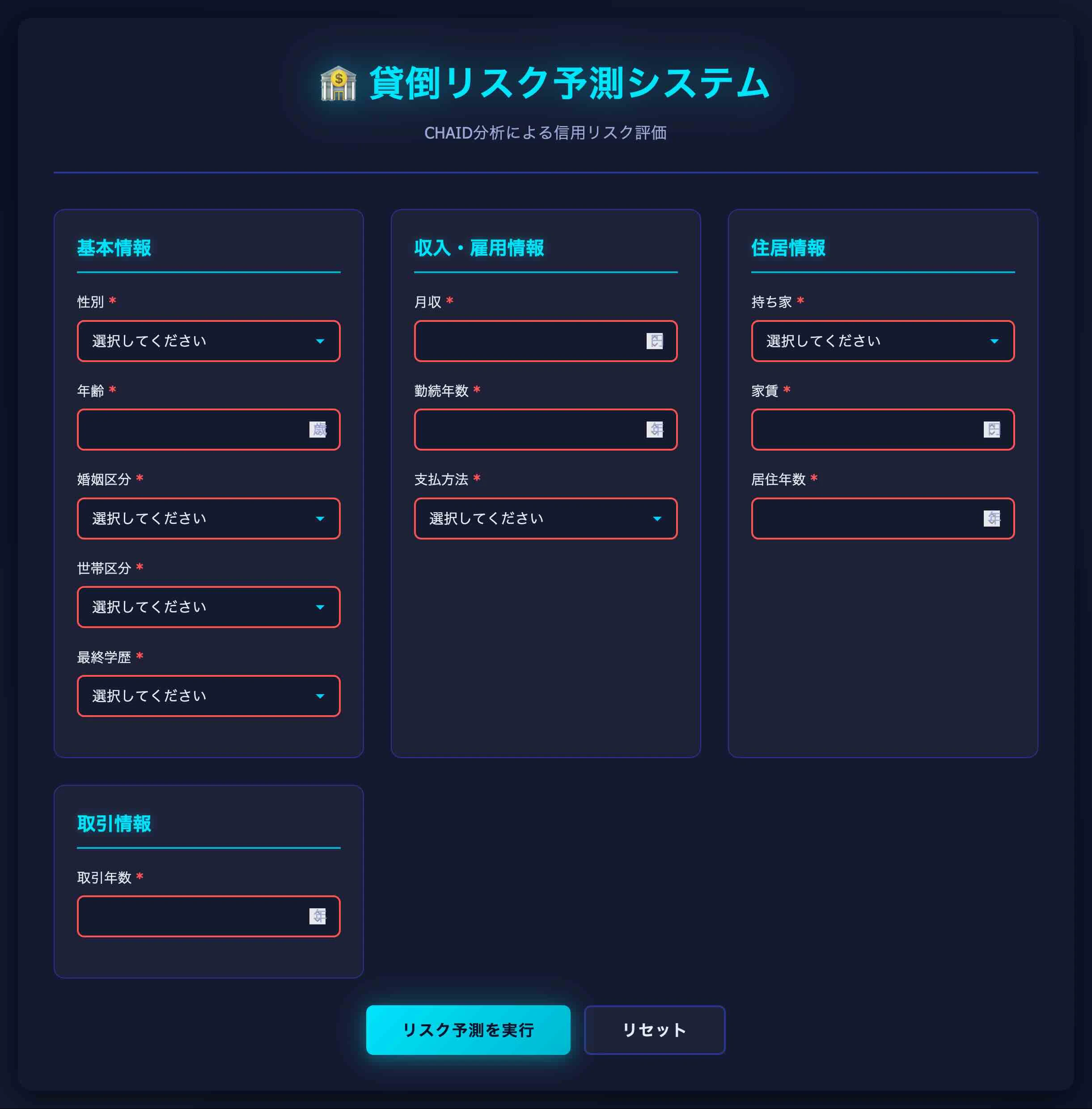
注意事項
本来のリスク審査モデルは、信用情報との突合や個社ごとのビジネスルールを多数記述し高度な運用が要求されるため、業務展開時にはCADSを検討します。
4.参考情報
IBM Bob を使用した SPSS Modeler Flow 設計書作成
Modelerスクリプトでループ処理を実行する
SPSS Modeler ノードリファレンス目次
SPSS Modeler 逆引きストリーム集(データ加工)