
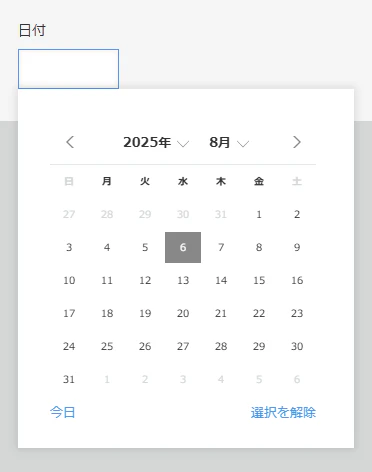
日付フィールドなら、カレンダーで 今日 か背景が灰色の日を選べば、今日の日付が入るが
時刻フィールドだと、このような簡単に現在時刻を入力する標準機能がない。

下記のJavaScriptで、スペースフィールド(要素IDはspace)を置いた位置にボタンを表示し
それをクリックすると、時刻フィールドに現在時刻が入るようにできる。

(() => {
  'use strict';

  // 追加画面か編集画面を表示したときに発火
  kintone.events.on(['app.record.create.show', 'app.record.edit.show'], (event) => {
    const record = event.record;

    // 現在時刻ボタンを作成
    const button = document.createElement('button');
    button.innerText = '現在時刻';

    // ボタンがクリックされたときの処理
    button.onclick = () => {
      // 日本時間(UTC+32400000ミリ秒)で現在時刻を取得し、時刻フィールドに入力
      record.時刻.value = new Date(Date.now() + 32400000).toISOString().slice(11, 16);
      kintone.app.record.set(event);
    };

    // 要素IDが space のスペースフィールドに作成したボタンを追加
    kintone.app.record.getSpaceElement('space').appendChild(button);

    return event;
  });
})();