
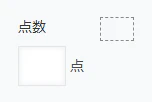
例として、テストの点を入力するフィールドを作る。
フィールド名とフィールドコードは点数、最小値0、最大値100、単位記号は点の
数値フィールドを作り、その右に要素IDがspaceのスペースを置く。
JavaScript / CSSでカスタマイズ では kuc.min.js 、下記の sample.js の順番にアップロード。
sample.js
(() => {
  'use strict';

  const fieldCode = '点数'; // スピンボタンで値を操作する数値フィールドのフィールドコード
  let fieldExists = false;  // 上記の数値フィールドの存在確認に使う変数
  let spaceElement = null;  // スペースフィールドの要素を格納
  let text = null;          // kintone UI Component の Textコンポーネント
  let inputElement = null;  // Textコンポーネントへフォーカス中に値を読み取るための変数
  let minValue = -Infinity; // Textコンポーネントの最小値を負の無限大で初期化
  let maxValue = Infinity;  // Textコンポーネントの最大値を正の無限大で初期化

  // Textコンポーネントに数値として正しい値のみ入力可能にするフォーマット
  const processInput = (inputElement) => {
    let value = inputElement.value
      // 全角数字を半角数字に変換
      .replace(/[0-9]/g, (char) =>
        String.fromCharCode(char.charCodeAt(0) - 0xFEE0)
      )
      // 全角マイナスを半角マイナスに変換
      .replace(/[ー-−]/g, '-')
      // 全角小数点を半角小数点に変換
      .replace(/./g, '.')
      // 数字、マイナス、小数点以外の文字を削除
      .replace(/[^0-9.\-]/g, '');

    // マイナスは1文字のみ許可し、2文字目以降のマイナスを削除
    if (value.includes('-')) {
      const firstMinus = value.indexOf('-');
      value = value.substring(0, firstMinus + 1) +
        value.substring(firstMinus + 1).replace(/-/g, '');
      // 先頭以外にマイナスがある場合は先頭に移動
      if (firstMinus > 0) value = '-' + value.replace(/-/g, '');
    }

    // 小数点は1つのみ許可し、2つ目以降を削除
    const dotIndex = value.indexOf('.');
    if (dotIndex !== -1) {
      value = value.substring(0, dotIndex + 1) +
        value.substring(dotIndex + 1).replace(/\./g, '');
    }

    // 小数点が先頭にあったら削除
    if (value.startsWith('.')) value = value.substring(1);
    // 小数点がマイナスの直後にあったら削除
    if (value.startsWith('-.')) value = '-' + value.substring(2);

    // フォーマット後の値が変更されている場合のみ値を更新
    if (value !== inputElement.value) inputElement.value = value;
  };

  // スピンボタンクリック時の値更新
  const createUpdateValueFunction = (delta, initialValue) => () => {
    let value;
    const currentValue = inputElement ? inputElement.value : text.value;

    // 値が空の場合は数値フィールドに初期値が設定されていたら初期値を入力
    if (!currentValue) {
      if (initialValue) {
        value = parseFloat(initialValue);
      } else if (delta > 0) {
        // ▲押下時は 最大値 → 正の最小値 → 0 の優先度で値を入力
        value = maxValue !== Infinity ? maxValue :
          (minValue > 0 ? minValue : 0);
      } else {
        // ▼押下時は 最小値 → 負の最大値 → 0 の優先度で値を入力
        value = minValue !== -Infinity ? minValue :
          (maxValue < 0 ? maxValue : 0);
      }
    // 値が範囲外の場合は境界値に補正
    } else {
      value = parseFloat(currentValue);
      if (value > maxValue) {
        value = maxValue;
      } else if (value < minValue) {
        value = minValue;
      } else {
        // 値が範囲内の場合は、▲押下時はインクリメント、▼押下時はデクリメント
        value += delta;
        // 浮動小数点数演算の誤差を丸める
        value = Math.round(value * 10000000000) / 10000000000;
        // 値が1増減後に範囲外になった場合は境界値に補正
        if (value > maxValue) value = maxValue;
        if (value < minValue) value = minValue;
      }
    }

    // inputElementとtext.valueの両方を更新
    const newValueStr = value.toString();
    if (inputElement) {
      inputElement.value = newValueStr;
    }
    text.value = newValueStr;
  };

  // スピンボタンの生成
  const createSpinButton = (symbol, className, updateFunction) => {
    const button = document.createElement('button');
    button.className = `custom-spinner-button ${className}`;
    button.innerHTML = symbol;
    button.type = 'button';

    // スピンボタンを長押しした際のオートリピートのためのタイマー
    const timeoutRef = { current: null };
    const intervalRef = { current: null };

    // タイマーをクリアする関数
    const clearTimers = () => {
      if (timeoutRef.current) clearTimeout(timeoutRef.current);
      if (intervalRef.current) clearInterval(intervalRef.current);
      timeoutRef.current = intervalRef.current = null;
    };

    // スピンボタン押下時に即1回実行し、500ミリ秒後から100ミリ秒ごとに連続実行
    button.addEventListener('mousedown', (e) => {
      e.preventDefault();
      updateFunction();
      timeoutRef.current = setTimeout(() => {
        intervalRef.current = setInterval(updateFunction, 100);
      }, 500);
    });

    // スピンボタン押下をやめたときと、カーソルがスピンボタンから離れたときにタイマークリア
    button.addEventListener('mouseup', clearTimers);
    button.addEventListener('mouseleave', clearTimers);

    return button;
  };

  // 追加画面か編集画面が表示されたときに発火
  kintone.events.on(['app.record.create.show', 'app.record.edit.show'], async (event) => {
    // 要素IDがspaceのスペースフィールドの要素を取得
    spaceElement = kintone.app.record.getSpaceElement('space');
    // もうスペースフィールドに子要素が存在する場合は重複実行を防ぐため処理中止
    if (spaceElement.children.length > 0) return event;

    // スピンボタンのCSSを一度だけ追加
    if (!document.getElementById('spinner-style')) {
      const style = document.createElement('style');
      style.id = 'spinner-style';
      style.textContent = `
        .custom-text-with-spinner{margin-left:8px}
        [class*="__group__input-form__input-outer"]{position:relative!important}
        [class*="__group__input-form__input-outer__input"]{padding-right:24px!important}
        .custom-spinner-buttons{
          position:absolute;right:1px;top:1px;bottom:1px;
          display:flex;flex-direction:column;width:18px
        }
        .custom-spinner-button{
          flex:1;background:#f7f9fa;border:1px solid #e3e7e8;border-right:none;
          cursor:pointer;display:flex;align-items:center;justify-content:center;
          font-size:8px;color:#3498db;padding:0;margin:0
        }
        .custom-spinner-button:hover{background:#e8ebed}
        .custom-spinner-button:active{background:#d8dcde}
        .custom-spinner-button-up{border-bottom:none;border-radius:0}
        .custom-spinner-button-down{border-radius:0}
      `;
      document.head.appendChild(style);
    }

    // 数値フィールドの設定情報を取得
    const resp = await kintone.api(kintone.api.url('/k/v1/app/form/fields', true),
      'GET', { app: kintone.app.getId() });

    // 数値フィールドの存在確認
    fieldExists = Object.keys(resp.properties).some(
      key => resp.properties[key].code === fieldCode
    );

    let initialValue = '';
    if (fieldExists) {
      const field = resp.properties[fieldCode];
      // 数値フィールドの最小値と最大値を取得
      if (field.minValue) minValue = parseFloat(field.minValue);
      if (field.maxValue) maxValue = parseFloat(field.maxValue);

      // 追加画面では数値フィールドの初期値をTextコンポーネントの初期値として流用
      if (event.type === 'app.record.create.show' && field.defaultValue) {
        initialValue = field.defaultValue;
      }
      // 編集画面では編集中のレコードの数値フィールドの値をTextコンポーネントに入力
      if (event.type === 'app.record.edit.show' && event.record[fieldCode]?.value) {
        initialValue = event.record[fieldCode].value;
      }

      // 数値フィールドを非表示にする
      kintone.app.record.setFieldShown(fieldCode, false);
    }

    // Textコンポーネントに最小値と最大値に応じたプレースホルダーを生成
    let placeholder = '';
    if (minValue !== -Infinity && maxValue !== Infinity) {
      placeholder = `${minValue}以上${maxValue}以下`;
    } else if (minValue !== -Infinity) {
      placeholder = `${minValue}以上`;
    } else if (maxValue !== Infinity) {
      placeholder = `${maxValue}以下`;
    }

    // スペースフィールドにTextコンポーネントを追加
    text = new Kuc.Text({
      label: fieldCode,
      placeholder: placeholder,
      textAlign: 'right',
      value: initialValue,
      className: 'custom-text-with-spinner',
      suffix: '点'
    });
    spaceElement.appendChild(text);

    // Textコンポーネントの値変更時のバリデーション
    text.addEventListener('change', event => {
      let value = event.detail.value;
      // 値が空の場合はエラーをクリア
      if (!value) {
        text.error = '';
        return;
      }

      // 値が最小値未満または最大値超過の場合はエラーを表示
      const numValue = parseFloat(value);
      if (numValue < minValue) {
        text.error = `${minValue}以上の値を入力してください。`;
        return;
      }
      if (numValue > maxValue) {
        text.error = `${maxValue}以下の値を入力してください。`;
        return;
      }

      // 値が範囲内の場合はエラーをクリア
      text.error = '';
    });

    // DOM描画完了後にバリデーションとスピンボタンを設定
    requestAnimationFrame(() => {
      inputElement = text.querySelector('input');
      if (!inputElement) return;

      // 重複設定を防ぐためのフラグチェック
      if (inputElement.dataset.listenerAttached) return;
      inputElement.dataset.listenerAttached = true;

      // IME入力開始時にフラグを立てる
      let isComposing = false;
      inputElement.addEventListener('compositionstart', () => {
        isComposing = true;
      });

      // IME入力終了時にフラグを下ろしてバリデーションを実行
      inputElement.addEventListener('compositionend', () => {
        isComposing = false;
        requestAnimationFrame(() => processInput(inputElement));
      });

      // IMEを使わない入力時のバリデーション
      inputElement.addEventListener('input', () => {
        if (!isComposing) processInput(inputElement);
      });

      // Textコンポーネントからフォーカスが外れたとき、値の末尾に小数点があれば削除
      inputElement.addEventListener('blur', () => {
        let value = inputElement.value;
        if (value.endsWith('.')) {
          value = value.substring(0, value.length - 1);
          inputElement.value = value;
          text.value = value;
          inputElement.dispatchEvent(
            new Event('change', { bubbles: true })
          );
        }
      });

      // Textコンポーネントのinput要素を内包するコンテナを取得
      const inputOuter = text.querySelector(
        '[class*="__group__input-form__input-outer"]'
      );
      if (!inputOuter) return;

      // スピンボタンを格納するコンテナを生成
      const buttonsContainer = document.createElement('div');
      buttonsContainer.className = 'custom-spinner-buttons';

      // ▲ボタン(インクリメント)と▼ボタン(デクリメント)を生成してコンテナに追加
      const updateUpValue = createUpdateValueFunction(1, initialValue);
      const updateDownValue =
        createUpdateValueFunction(-1, initialValue);
      buttonsContainer.appendChild(
        createSpinButton('▲', 'custom-spinner-button-up', updateUpValue)
      );
      buttonsContainer.appendChild(
        createSpinButton('▼', 'custom-spinner-button-down', updateDownValue)
      );

      // スピンボタンをinput要素の右側に配置
      inputOuter.appendChild(buttonsContainer);
    });

    return event;
  });

  // 追加画面か編集画面で保存ボタンを押したら、Textコンポーネントの値を数値フィールドに転記
  kintone.events.on(['app.record.create.submit', 'app.record.edit.submit'], (event) => {
    if (fieldExists && text) event.record[fieldCode].value = text.value;
    return event;
  });
})();
/k/v1/app/form/fields.json で、数値フィールドの最小値と最大値を取得し
値の制限を動的にTextコンポーネントのプレースホルダーに表示する。
スピンボタンを押すと、値が1増加または減少する。
今回のケースでは、最大値100なので▲ボタンを押しても値が100を超過せず
最小値0なので▼ボタンを押しても値が0未満にならない。
