

概要
Flutterの「Column Widget」と「Row Widget」を使ったレイアウトを紹介します。
レイアウト一覧
[ 原型 ]
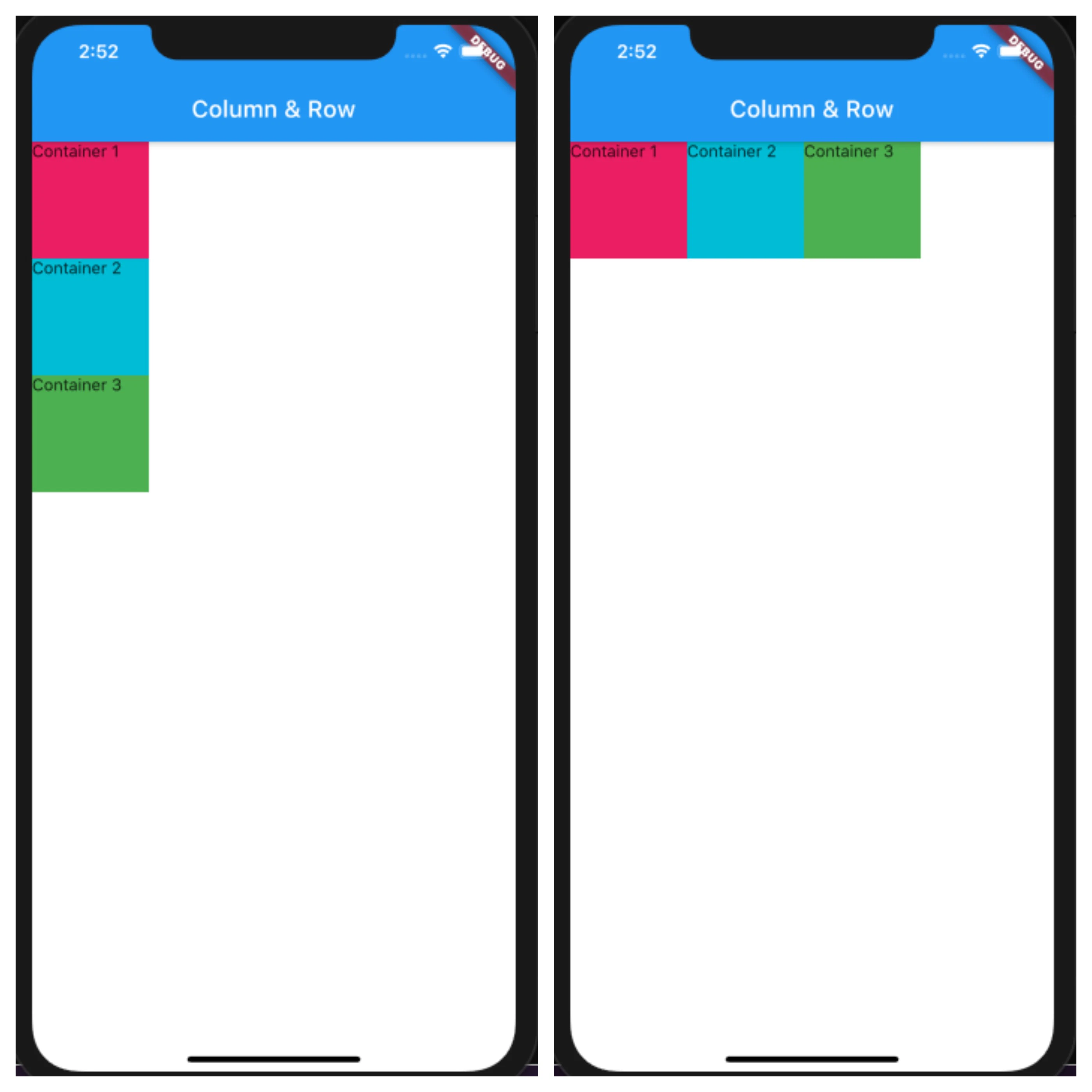
main.dart
Column /*or Row*/(
  children: <Widget>[
    Container(
      height: 100,
      width: 100,
      color: Colors.pink,
      child: Text('Container 1'),
    ),
    Container(
      height: 100,
      width: 100,
      color: Colors.cyan,
      child: Text('Container 2'),
    ),
    Container(
      height: 100,
      width: 100,
      color: Colors.green,
      child: Text('Container 3'),
    ),
  ],
),
VerticalDirection
VerticalDirection.up
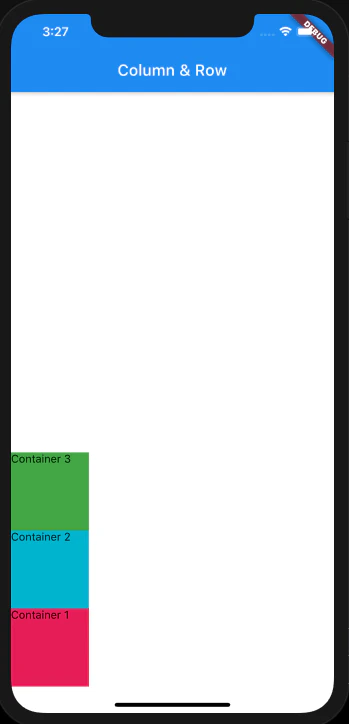
main.dart
Column(
  verticalDirection: VerticalDirection.up,
  children: <Widget>[
    Container(
      height: 100,
      width: 100,
      color: Colors.pink,
      child: Text('Container 1'),
    ),
    Container(
      height: 100,
      width: 100,
      color: Colors.cyan,
      child: Text('Container 2'),
    ),
    Container(
      height: 100,
      width: 100,
      color: Colors.green,
      child: Text('Container 3'),
    ),
  ],
),
VerticalDirection.down

main.dart
Column(
  verticalDirection: VerticalDirection.down,
  children: <Widget>[
    Container(
      height: 100,
      width: 100,
      color: Colors.pink,
      child: Text('Container 1'),
    ),
    Container(
      height: 100,
      width: 100,
      color: Colors.cyan,
      child: Text('Container 2'),
    ),
    Container(
      height: 100,
      width: 100,
      color: Colors.green,
      child: Text('Container 3'),
    ),
  ],
),
MainAxisAlignment
MainAxisAlignment.start

main.dart
Column /*or Row*/(
  mainAxisAlignment: MainAxisAlignment.start,
  children: <Widget>[
    Container(
      height: 100,
      width: 100,
      color: Colors.pink,
      child: Text('Container 1'),
    ),
    Container(
      height: 100,
      width: 100,
      color: Colors.cyan,
      child: Text('Container 2'),
    ),
    Container(
      height: 100,
      width: 100,
      color: Colors.green,
      child: Text('Container 3'),
    ),
  ],
),
MainAxisAlignment.end
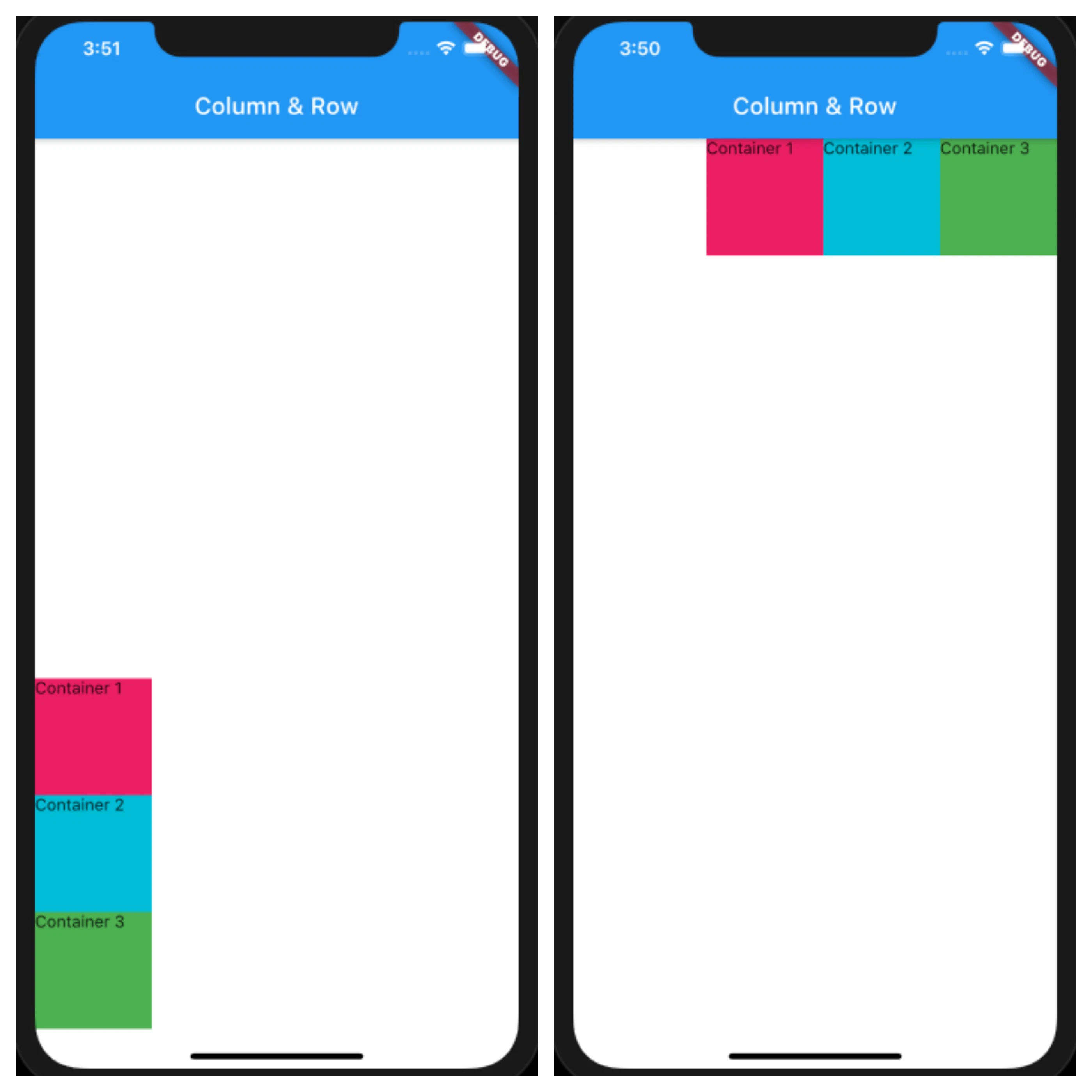
main.dart
Column /*or Row*/(
  mainAxisAlignment: MainAxisAlignment.end
  children: <Widget>[
    Container(
      height: 100,
      width: 100,
      color: Colors.pink,
      child: Text('Container 1'),
    ),
    Container(
      height: 100,
      width: 100,
      color: Colors.cyan,
      child: Text('Container 2'),
    ),
    Container(
      height: 100,
      width: 100,
      color: Colors.green,
      child: Text('Container 3'),
    ),
  ],
),
MainAxisAlignment.center
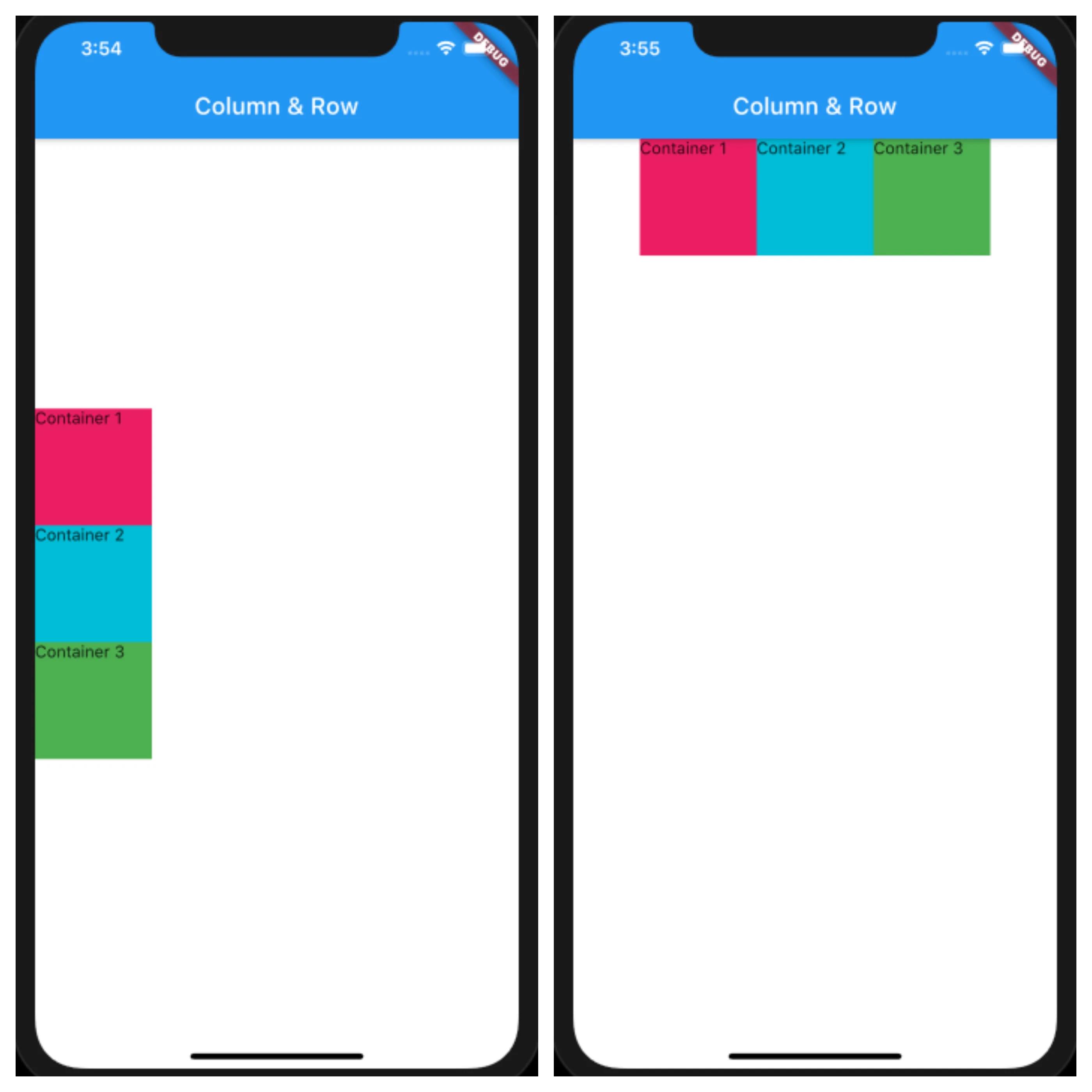
main.dart
Column /*or Row*/(
  mainAxisAlignment: MainAxisAlignment.center,
  children: <Widget>[
    Container(
      height: 100,
      width: 100,
      color: Colors.pink,
      child: Text('Container 1'),
    ),
    Container(
      height: 100,
      width: 100,
      color: Colors.cyan,
      child: Text('Container 2'),
    ),
    Container(
      height: 100,
      width: 100,
      color: Colors.green,
      child: Text('Container 3'),
    ),
  ],
),
MainAxisAlignment.spaceAround

main.dart
Column /*or Row*/(
  mainAxisAlignment: MainAxisAlignment.spaceAround,
  children: <Widget>[
    Container(
      height: 100,
      width: 100,
      color: Colors.pink,
      child: Text('Container 1'),
    ),
    Container(
      height: 100,
      width: 100,
      color: Colors.cyan,
      child: Text('Container 2'),
    ),
    Container(
      height: 100,
      width: 100,
      color: Colors.green,
      child: Text('Container 3'),
    ),
  ],
),
MainAxisAlignment.spaceEvenly

main.dart
Column /*or Row*/(
  mainAxisAlignment: MainAxisAlignment.spaceEvenly,
  children: <Widget>[
    Container(
      height: 100,
      width: 100,
      color: Colors.pink,
      child: Text('Container 1'),
    ),
    Container(
      height: 100,
      width: 100,
      color: Colors.cyan,
      child: Text('Container 2'),
    ),
    Container(
      height: 100,
      width: 100,
      color: Colors.green,
      child: Text('Container 3'),
    ),
  ],
),
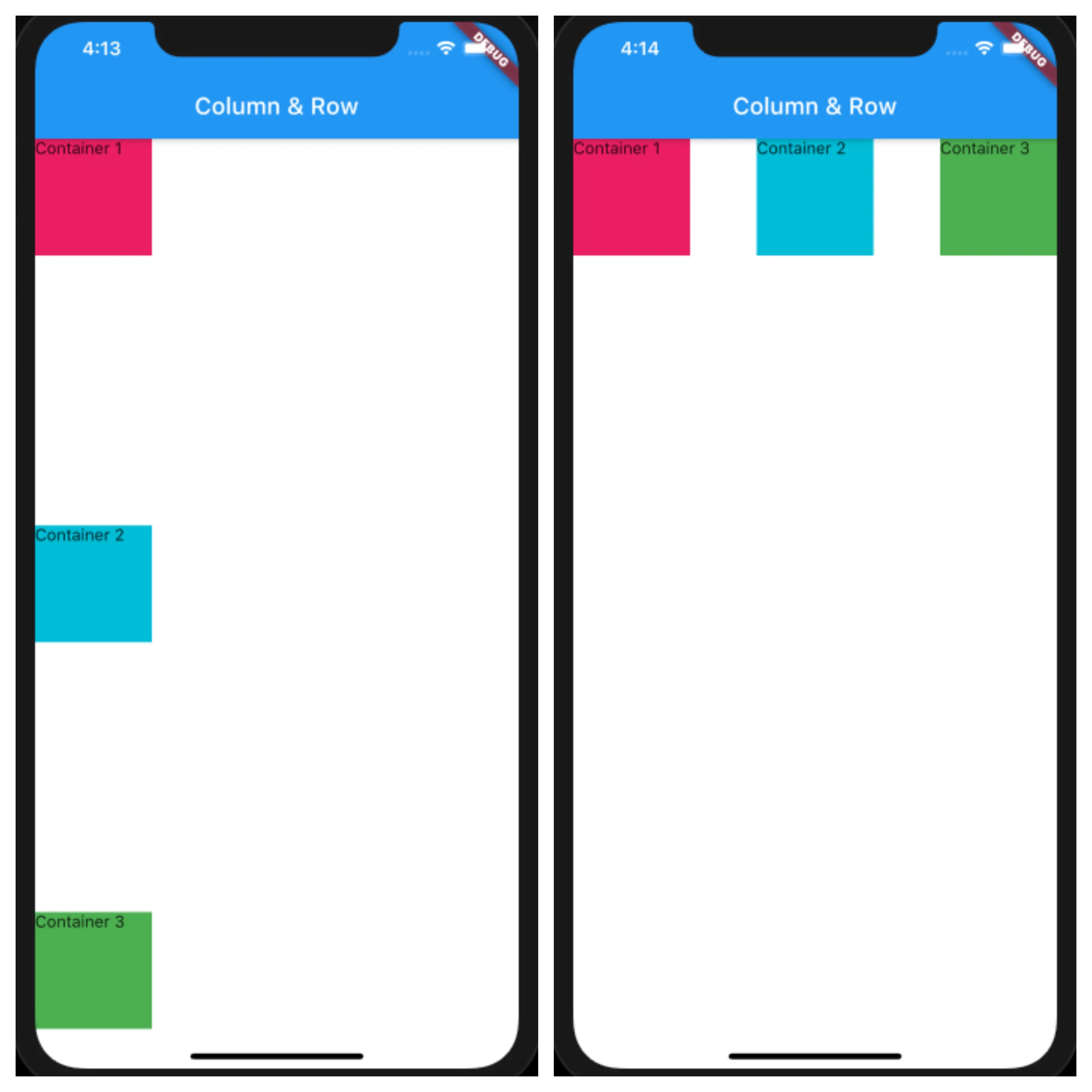
MainAxisAlignment.spaceBetween
main.dart
Column /*or Row*/(
  mainAxisAlignment: MainAxisAlignment.spaceBetween,
  children: <Widget>[
    Container(
      height: 100,
      width: 100,
      color: Colors.pink,
      child: Text('Container 1'),
    ),
    Container(
      height: 100,
      width: 100,
      color: Colors.cyan,
      child: Text('Container 2'),
    ),
    Container(
      height: 100,
      width: 100,
      color: Colors.green,
      child: Text('Container 3'),
    ),
  ],
),
CrossAxisAlignment
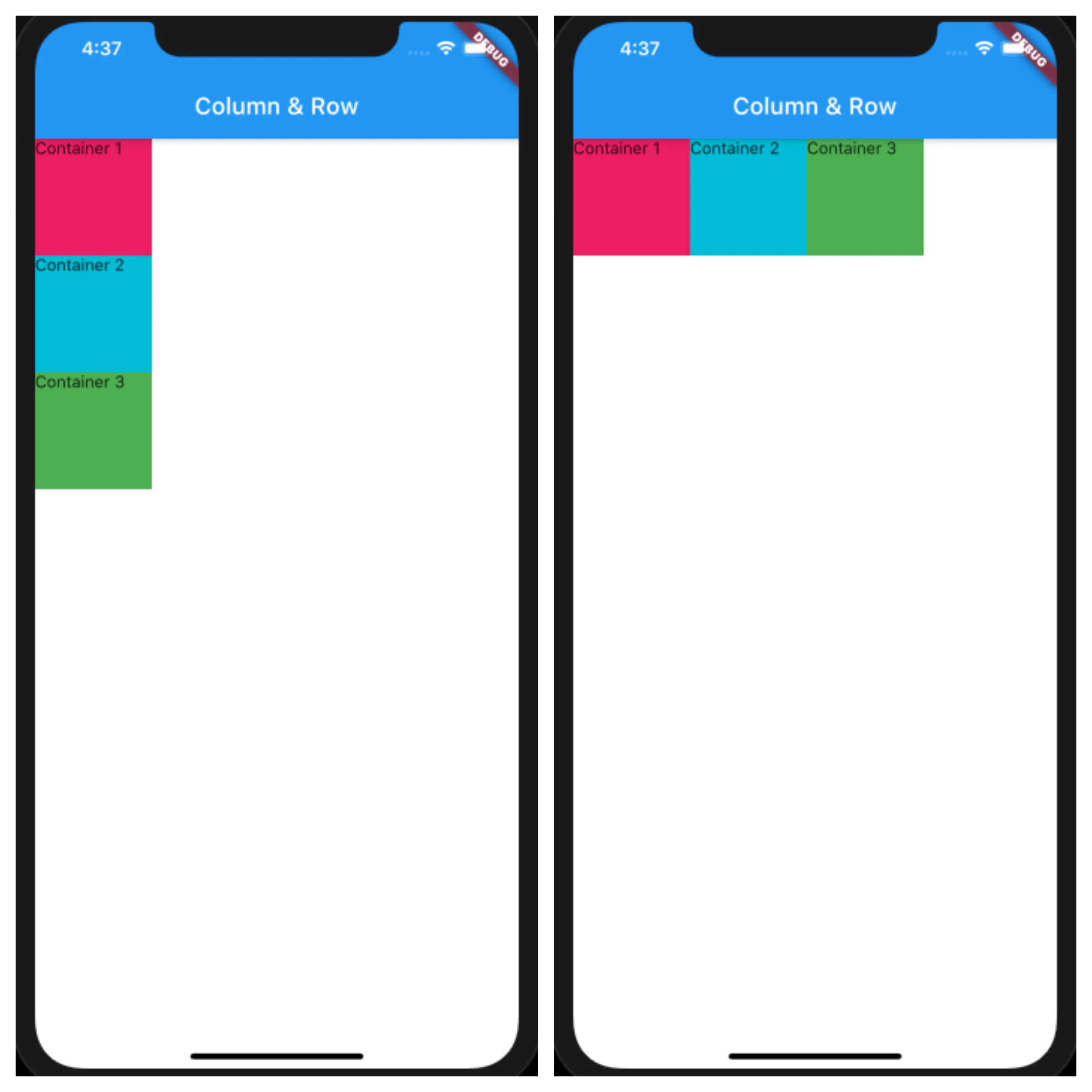
※CrossAxisAlignmentの効果をみるため、4つ目のContainerを追加しました。
CrossAxisAlignment.start
main.dart
Column /*or Row*/(
  crossAxisAlignment: CrossAxisAlignment.start,
  children: <Widget>[
    Container(
      height: 100,
      width: 100,
      color: Colors.pink,
      child: Text('Container 1'),
    ),
    Container(
      height: 100,
      width: 100,
      color: Colors.cyan,
      child: Text('Container 2'),
    ),
    Container(
      height: 100,
      width: 100,
      color: Colors.green,
      child: Text('Container 3'),
    ),
    Container()
  ],
),
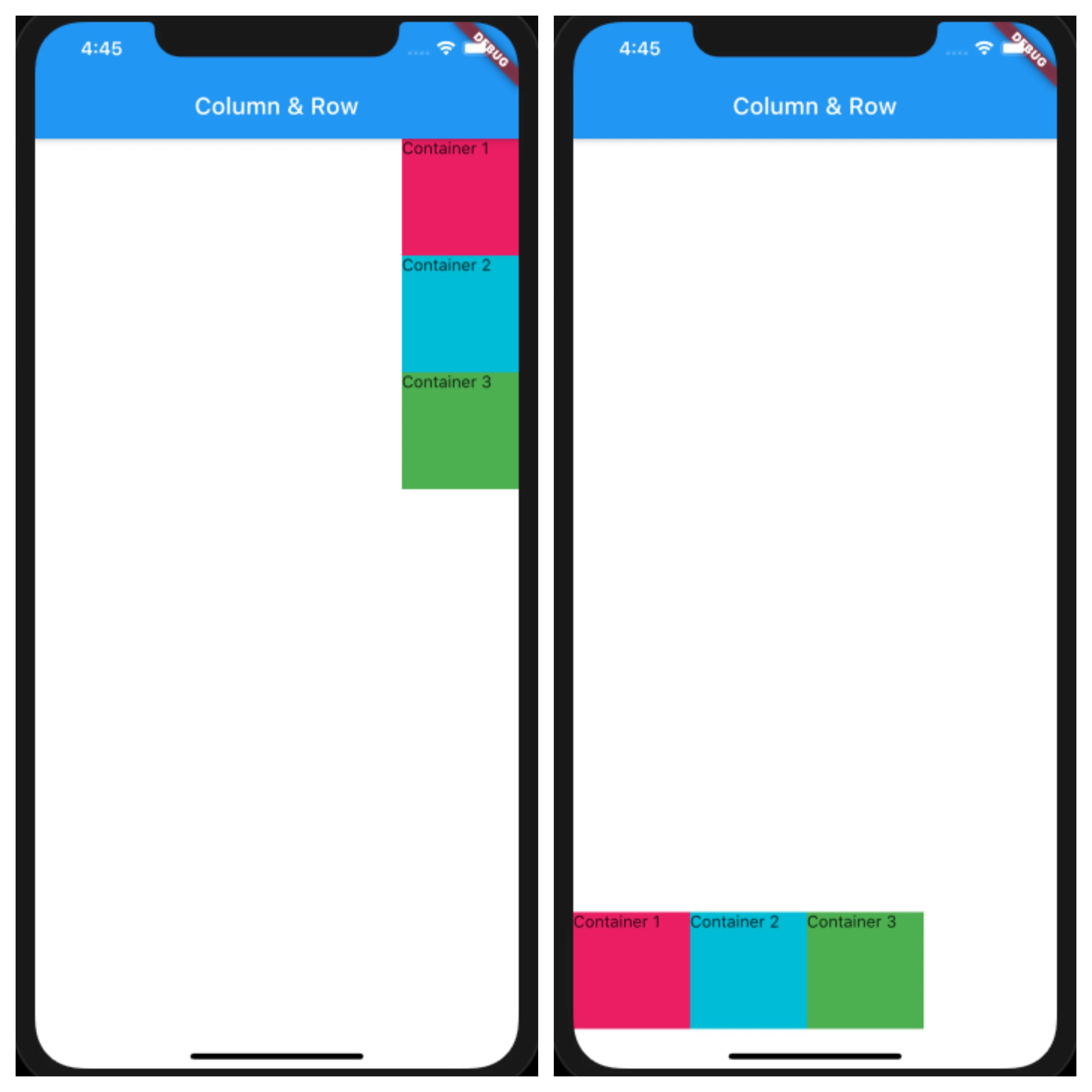
CrossAxisAlignment.end
main.dart
Column /*or Row*/(
  crossAxisAlignment: CrossAxisAlignment.end,
  children: <Widget>[
    Container(
      height: 100,
      width: 100,
      color: Colors.pink,
      child: Text('Container 1'),
    ),
    Container(
      height: 100,
      width: 100,
      color: Colors.cyan,
      child: Text('Container 2'),
    ),
    Container(
      height: 100,
      width: 100,
      color: Colors.green,
      child: Text('Container 3'),
    ),
    Container()
  ],
),
CrossAxisAlignment.center

main.dart
Column /*or Row*/(
  crossAxisAlignment: CrossAxisAlignment.center,
  children: <Widget>[
    Container(
      height: 100,
      width: 100,
      color: Colors.pink,
      child: Text('Container 1'),
    ),
    Container(
      height: 100,
      width: 100,
      color: Colors.cyan,
      child: Text('Container 2'),
    ),
    Container(
      height: 100,
      width: 100,
      color: Colors.green,
      child: Text('Container 3'),
    ),
    Container()
  ],
),
CrossAxisAlignment.stretch

main.dart
Column /*or Row*/(
  crossAxisAlignment: CrossAxisAlignment.stretch,
  children: <Widget>[
    Container(
      height: 100,
      width: 100,
      color: Colors.pink,
      child: Text('Container 1'),
    ),
    Container(
      height: 100,
      width: 100,
      color: Colors.cyan,
      child: Text('Container 2'),
    ),
    Container(
      height: 100,
      width: 100,
      color: Colors.green,
      child: Text('Container 3'),
    ),
    Container()
  ],
),
MainAxisSize
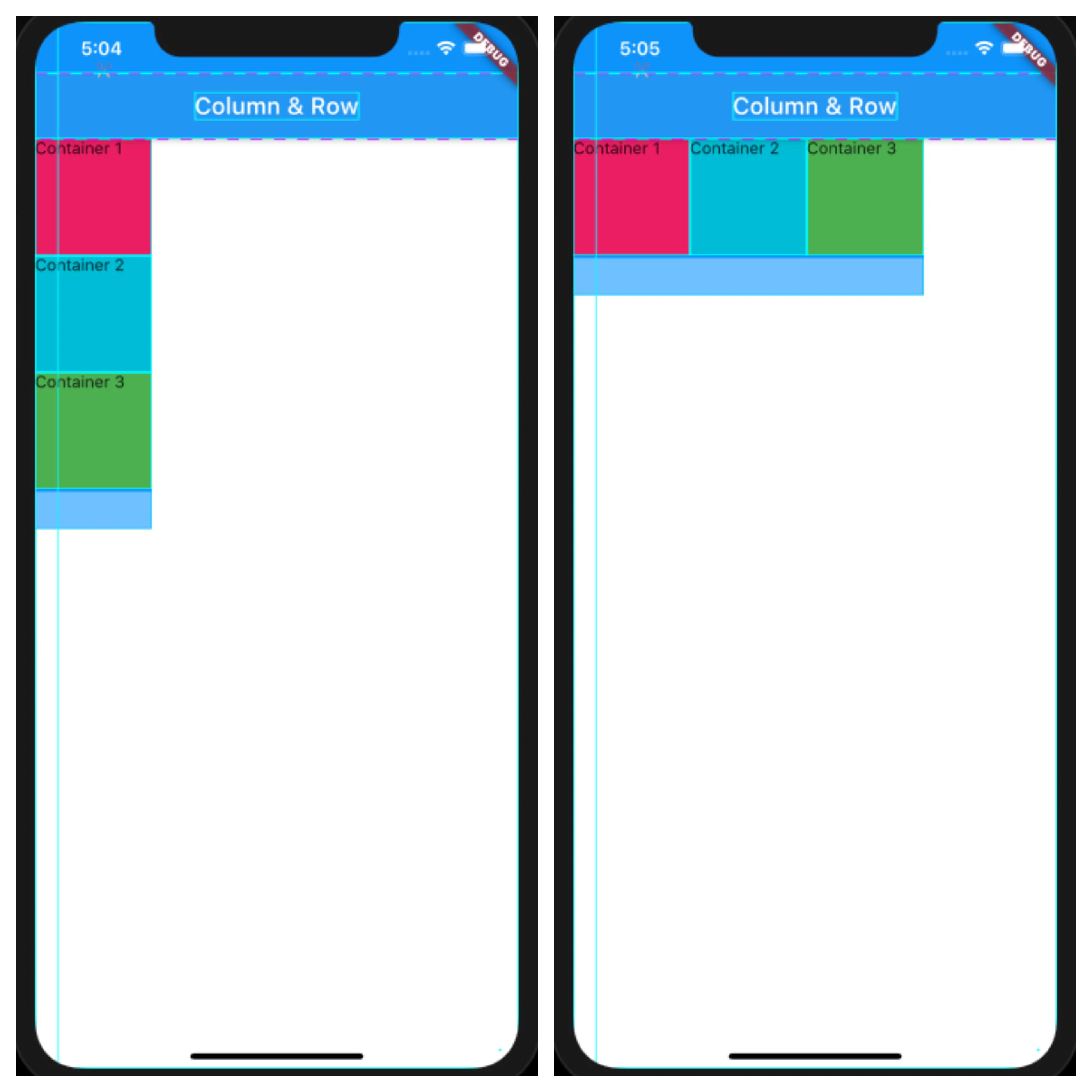
MainAxisSize.min
main.dart
Column /*or Row*/(
  mainAxisSize: MainAxisSize.min,
  children: <Widget>[
    Container(
      height: 100,
      width: 100,
      color: Colors.pink,
      child: Text('Container 1'),
    ),
    Container(
      height: 100,
      width: 100,
      color: Colors.cyan,
      child: Text('Container 2'),
    ),
    Container(
      height: 100,
      width: 100,
      color: Colors.green,
      child: Text('Container 3'),
    ),
  ],
),
MainAxisSize.max
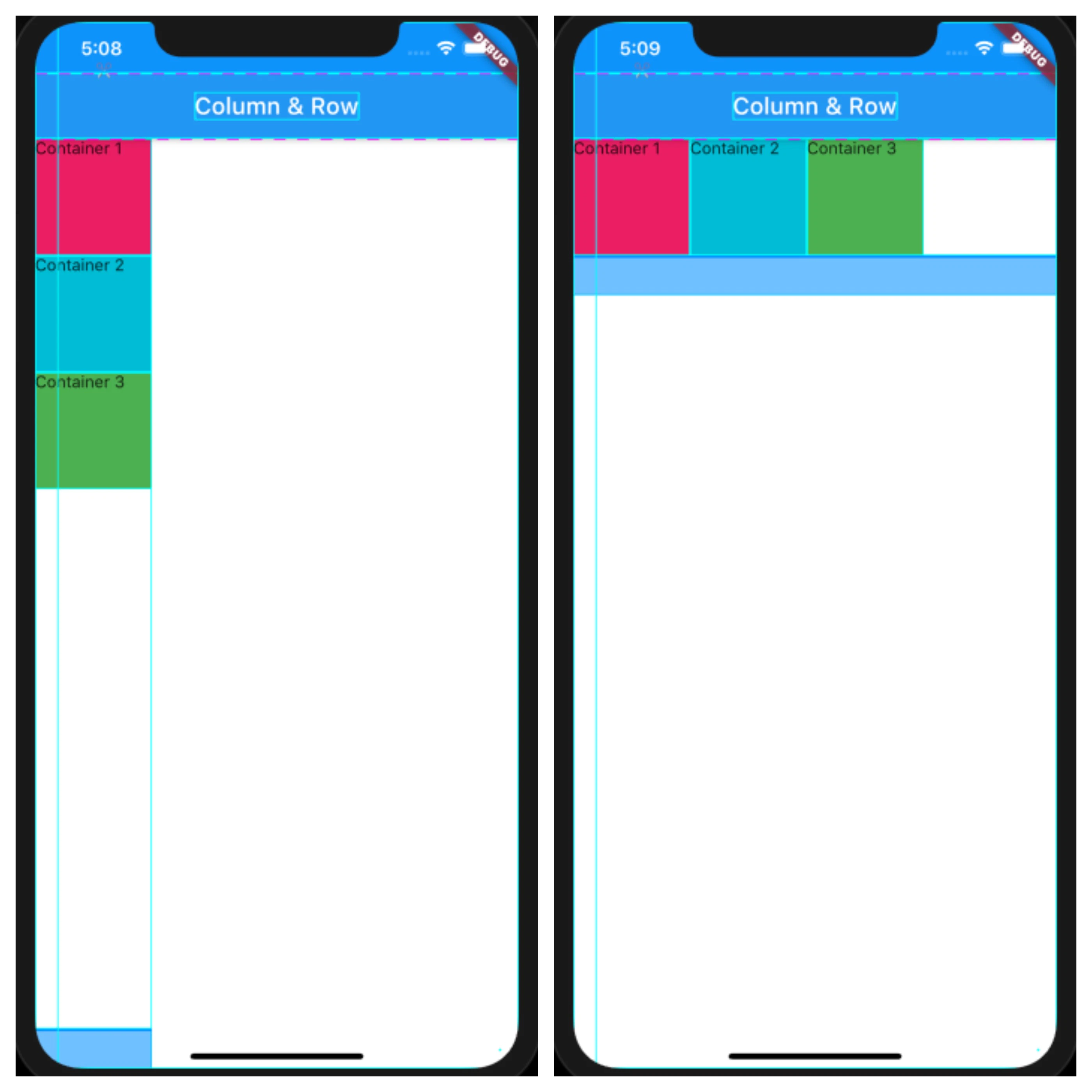
main.dart
Column /*or Row*/(
  mainAxisSize: MainAxisSize.max,
  children: <Widget>[
    Container(
      height: 100,
      width: 100,
      color: Colors.pink,
      child: Text('Container 1'),
    ),
    Container(
      height: 100,
      width: 100,
      color: Colors.cyan,
      child: Text('Container 2'),
    ),
    Container(
      height: 100,
      width: 100,
      color: Colors.green,
      child: Text('Container 3'),
    ),
  ],
),