
本記事は 2021 年に AppleSilicon (16GBメモリ) の Mac mini を購入した際に実施した、開発環境を構築する手順でした。
本日 (2026-02-10) M4pro (64GBメモリ) の Mac mini を購入しましたので、改めて環境構築手順を書いていきたいと思います。
前回同様、できるだけ CLI で構築する方針です。
コマンドラインデベロッパツール (Command Line Tools for Xcode)
git のバージョン確認をすると Xcode のインストールを開始するモーダルが表示されます。

- [インストール] を押します。

- バージョン確認
mini@mininoMac-mini ~ % git --version
git version 2.50.1 (Apple Git-155)
mini@mininoMac-mini ~ % python3 -V
Python 3.9.6
mini@mininoMac-mini ~ % clang --version
Apple clang version 17.0.0 (clang-1700.6.3.2)
Target: arm64-apple-darwin25.2.0
Thread model: posix
InstalledDir: /Library/Developer/CommandLineTools/usr/bin
mini@mininoMac-mini ~ % make --version
GNU Make 3.81
Copyright (C) 2006  Free Software Foundation, Inc.
This is free software; see the source for copying conditions.
There is NO warranty; not even for MERCHANTABILITY or FITNESS FOR A
PARTICULAR PURPOSE.

This program built for i386-apple-darwin11.3.0
mini@mininoMac-mini ~ %
Homebrew
mini@mininoMac-mini ~ % /bin/bash -c "$(curl -fsSL https://raw.githubusercontent.com/Homebrew/install/HEAD/install.sh)"
==> Checking for `sudo` access (which may request your password)...
Password:

(snip)
mini@mininoMac-mini ~ % brew -v
zsh: command not found: brew
mini@mininoMac-mini ~ %
mini@mininoMac-mini ~ % (echo; echo 'eval "$(/opt/homebrew/bin/brew shellenv)"') >> /Users/m/.zprofile
zsh: no such file or directory: /Users/m/.zprofile
mini@mininoMac-mini ~ % (echo; echo 'eval "$(/opt/homebrew/bin/brew shellenv)"') >> /Users/mini/.zprofile
mini@mininoMac-mini ~ % eval "$(/opt/homebrew/bin/brew shellenv)"
mini@mininoMac-mini ~ % brew -v
Homebrew 5.0.14
mini@mininoMac-mini ~ %
Iterm2
% brew install iterm2
これ以降の CLI 操作は Iterm2 で行います。
プロンプトを % にする
mini@mininoMac-mini ~ % pwd
/Users/mini
mini@mininoMac-mini ~ % ls -a
.			.Trash			Desktop			Library			Pictures
..			.zprofile		Documents		Movies			Public
.CFUserTextEncoding	.zsh_sessions		Downloads		Music
mini@mininoMac-mini ~ % vi .zshrc
mini@mininoMac-mini ~ % cat .zshrc
export PS1='%# '

mini@mininoMac-mini ~ %
起動時のフォルダを指定する
- 起動時のフォルダを作成
% pwd
/Users/m
% ls
Desktop		Documents	Downloads	Library		Movies		Music		Pictures	Public
% mkdir Dev
%
- Iterm2 の Settings の変更
- Iterm2 > Settings... > Profiles > General
- Working Directory > Directory のラジオをオンにしてパスを指定する

ログを出力する
% pwd
/Users/mini
% ls
Desktop		Documents	Downloads	Library		Movies		Music		Pictures	Public
% mkdir dev
% cd dev
% mkdir termlog
%
- Iterm2 の Settings の変更
- Iterm2 > Settings... > Profiles > Session
- Logging > Enable automatic session logging をオンにしてパスを指定する
Google Chrome
% brew install google-chrome
Docker Desktop for Mac
% brew install --cask docker
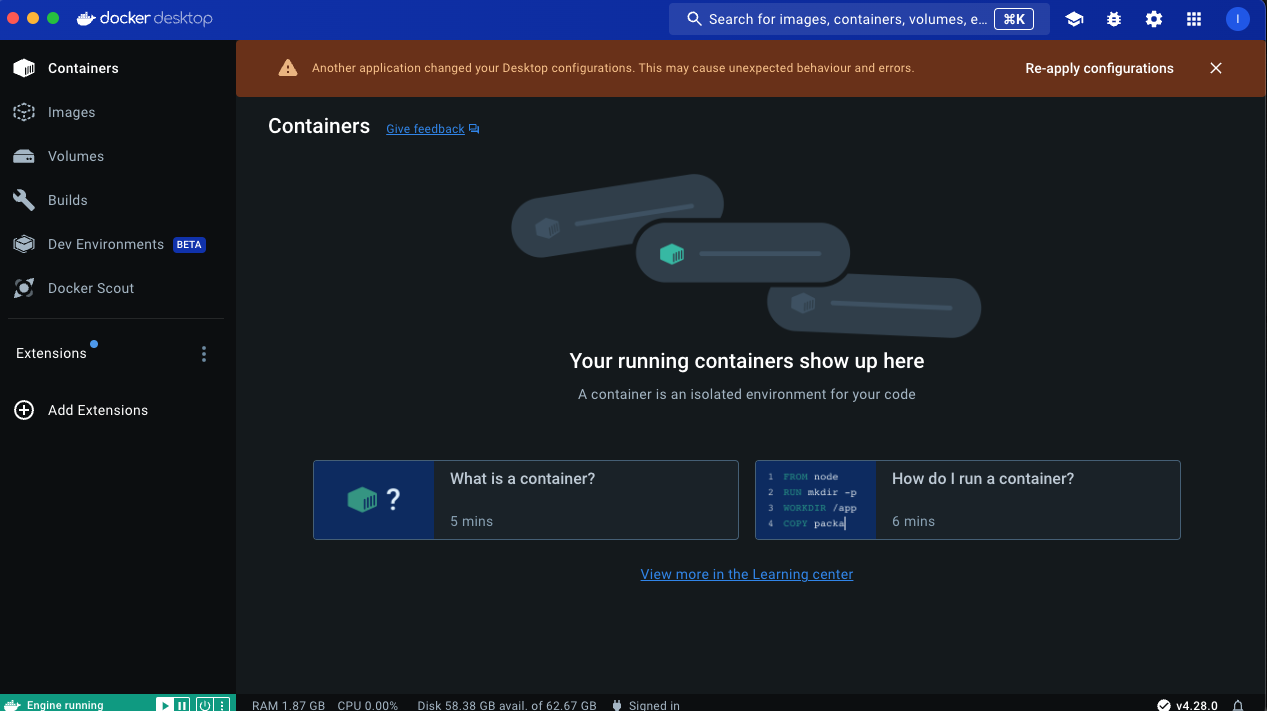
% docker version
Client:
 Version:           29.2.0
 API version:       1.53
 Go version:        go1.25.6
 Git commit:        0b9d198
 Built:             Mon Jan 26 19:25:13 2026
 OS/Arch:           darwin/arm64
 Context:           desktop-linux

Server: Docker Desktop 4.60.0 (218231)
 Engine:
  Version:          29.2.0
  API version:      1.53 (minimum version 1.44)
  Go version:       go1.25.6
  Git commit:       9c62384
  Built:            Mon Jan 26 19:25:48 2026
  OS/Arch:          linux/arm64
  Experimental:     false
 containerd:
  Version:          v2.2.1
  GitCommit:        dea7da592f5d1d2b7755e3a161be07f43fad8f75
 runc:
  Version:          1.3.4
  GitCommit:        v1.3.4-0-gd6d73eb8
 docker-init:
  Version:          0.19.0
  GitCommit:        de40ad0
%
% docker compose version
Docker Compose version v5.0.2
%
Visual Studio Code
brew install visual-studio-code
Parsec
Mac mini は持ち歩けないので Parsec でリモート操作します。
- https://parsec.app/downloads
- インストール
- 起動
いつもちょっと迷うけど、まあ繋がるからOKです。
Ollama
curl -fsSL https://ollama.com/install.sh | sh
% ollama --version
ollama version is 0.15.6
% ollama ls
NAME    ID    SIZE    MODIFIED
%
llamune
llamune は弊社で開発したチャットアプリです。
メジャーなものではなく、必須のものでもないので、このインストールはスキップしてください。
% pwd
/Users/mini/dev/llamue_chat
% curl -O https://raw.githubusercontent.com/unrcom/llamune/main/docker-compose.yml
  % Total    % Received % Xferd  Average Speed   Time    Time     Time  Current
                                 Dload  Upload   Total   Spent    Left  Speed
100   736  100   736    0     0   3086      0 --:--:-- --:--:-- --:--:--  3092
% docker compose up
(snip)
- ブラウザで
localhost:5173