0
1

Delete article

Deleted articles cannot be recovered.

Draft of this article would be also deleted.

Are you sure you want to delete this article?

App Store Connectで使うためのバンドルIDを初めて設定する場合の方法

0
Posted at

概要

バンドルIDを始めて設定する場合の方法を簡単にまとめます。

前提

方法

  1. こちらにアクセスします

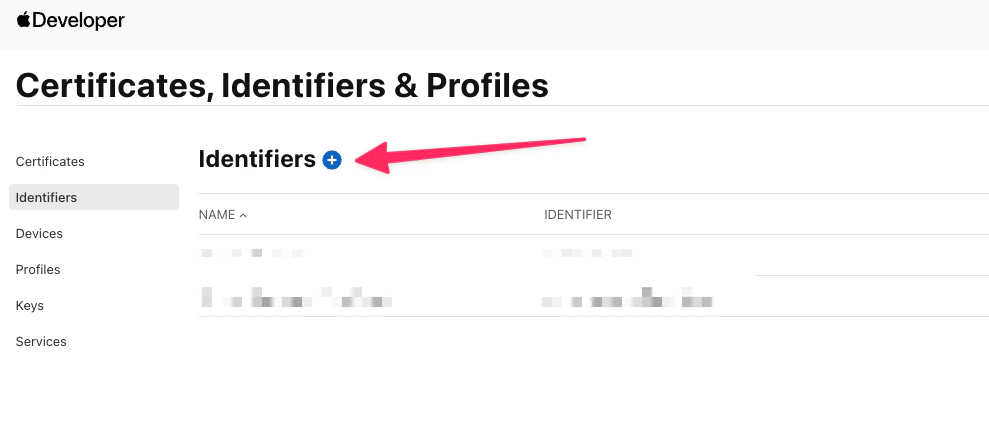
  2. Identifiersの横の「+」をクリックします

    CleanShot 2026-05-08 at 23.20.13.png

  3. 「Register a new identifier」と表示されているページで「App IDs」を選択します

    CleanShot 2026-05-08 at 23.24.34.png

  4. 「Select a type」のと表示されているページではAppを選択します

    CleanShot 2026-05-09 at 10.58.24.png

  5. 「Registar an App ID」の画面にて下記のように設定します

    1. Description:これから払い出すApp IDの説明・メモを記載(App Storeには表示されない)
    2. Bundle ID:任意に設定できるアプリ固有のID(今回Explicitを選択、App Storeには表示されない)
    3. Capabilties:対象のアプリが必要とするAppleの機能のチェックボックスにチェックを設定
    4. App Services:Apple提供の外部サービスと連携する場合に設定
    5. Capability Requests:特別な権限が必要な機能をAppleに申請する場合、必要な設定
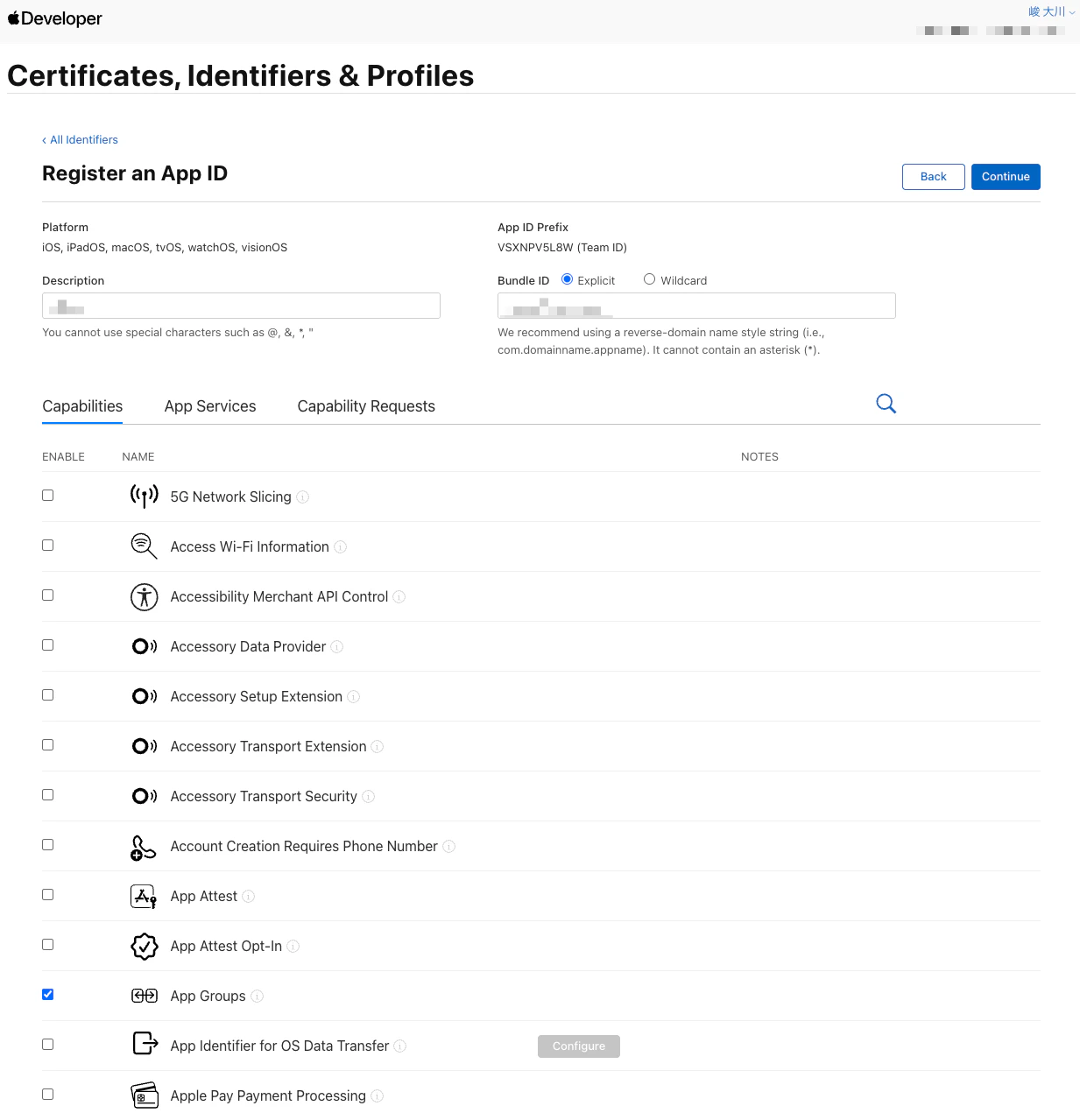
    CleanShot 2026-05-09 at 11.07.05.png

  6. 次の画面で確認して「Register」をクリックして登録します(この段階だとPlatformにiOS以外のOSも含まれてしまっていますが問題ないようです。)

  7. 「Certificates, Identifiers & Profiles」のページに追加したものが表示されていれば完了です

0
1
0

Register as a new user and use Qiita more conveniently

  1. You get articles that match your needs
  2. You can efficiently read back useful information
  3. You can use dark theme
What you can do with signing up
0
1

Delete article

Deleted articles cannot be recovered.

Draft of this article would be also deleted.

Are you sure you want to delete this article?