1
1

Delete article

Deleted articles cannot be recovered.

Draft of this article would be also deleted.

Are you sure you want to delete this article?

More than 3 years have passed since last update.

markdownで書いたメモをMarpでスライドショー化する

Last updated at Posted at 2022-04-23

読んだ論文の内容など、メモはメモアプリで録りたい。けどいろんな機会で報告するためにスライドショーに直すのが面倒くさい!!

というわけでMarpを導入してみた。
https://marp.app/

コマンドラインでも変換できるし、vscodeの拡張機能を使えば、プレビューしながら編集したり、クリック2回でpdfやpptxにexportしたりできる。
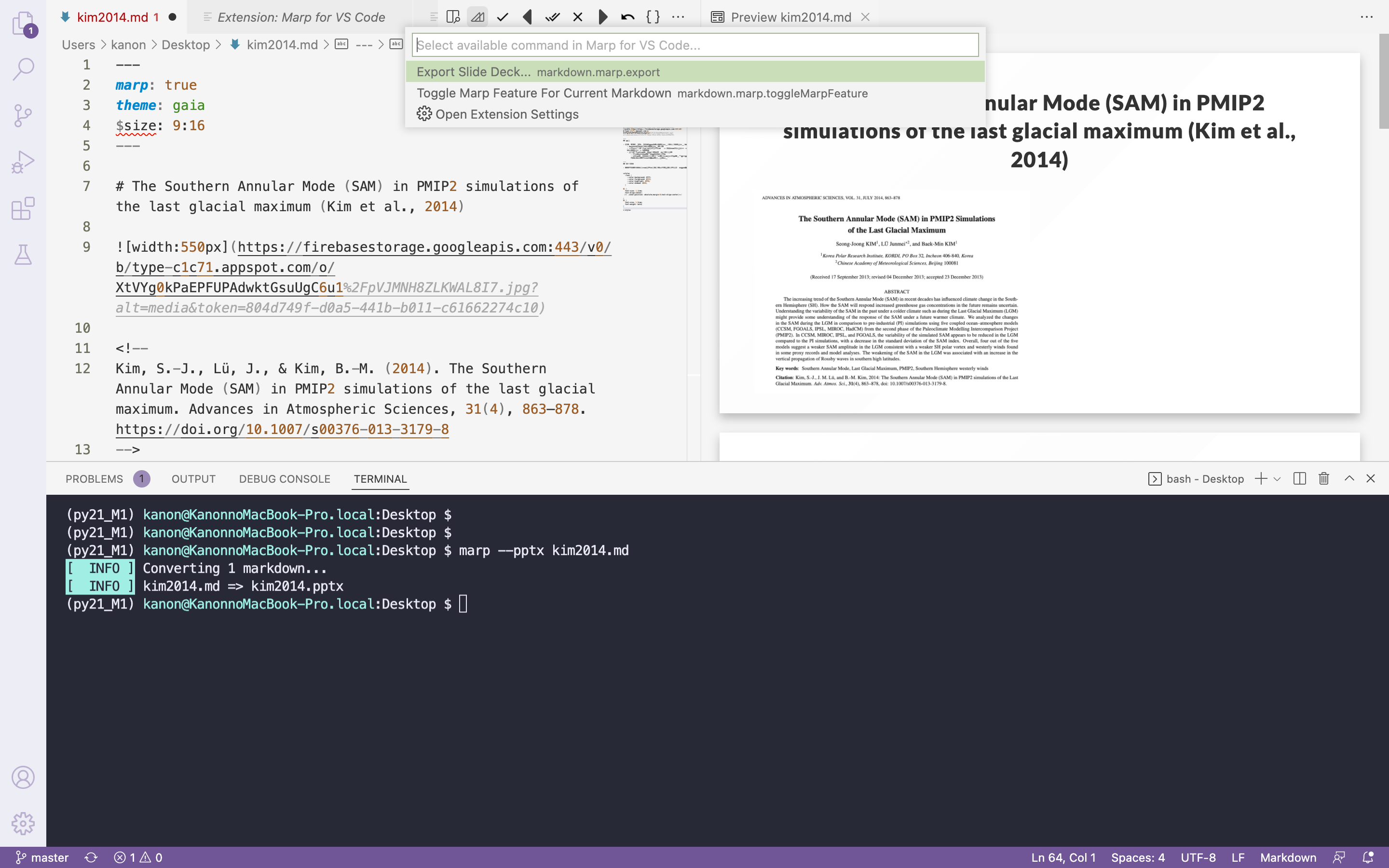
スクリーンショット 2022-04-23 11.54.13.png

見た目にちょっとだけこだわる

こだわりたいならいつも通りkeynoteを使って編集せよ、ということで、ここでは最低限整えることにする。

冒頭に、

---
marp: true   # vscode上でスライドショーview
theme: gaia  # テーマ
$size: 9:16    # スライドサイズ (3:4も可)
---

と記載。

色とフォントサイズの指示をcssで、ファイル末尾に追記。

<style>
    :root {
    --color-background: #fff;
    --color-foreground: #333;
    --color-highlight : #f96;
    --color-dimmed    : #888;
    }

    h1 {
    font-size  : 1.2rem;
    text-align : center;
    }

    h2 {
    font-size  : 1.0rem;
    font-weight: bold;
    }
</style>
1
1
0

Register as a new user and use Qiita more conveniently

  1. You get articles that match your needs
  2. You can efficiently read back useful information
  3. You can use dark theme
What you can do with signing up
1
1

Delete article

Deleted articles cannot be recovered.

Draft of this article would be also deleted.

Are you sure you want to delete this article?