
Streamlit Community Cloudとは?(依存関係エラーの原因と解決方法)
Streamlit Community Cloud は、streamlit ライブラリで作成したアプリを GitHub 連携だけで簡単に公開できるホスティングサービスです。CI/CD を用意しなくても、 リポジトリを指定すればデプロイが走り、ブラウザでそのまま動作確認ができます。
公開前に発生したエラー
[12:23:44] ❗️ installer returned a non-zero exit code
[12:23:44] ❗️ Error during processing dependencies! Please fix the error and push an update, or try restarting the app.
Using Python 3.13.5 environment at /home/adminuser/venv
× No solution found when resolving dependencies:
╰─▶ Because torch==2.0.1 has no wheels with a matching Python ABI tag and
you require torch==2.0.1, we can conclude that your requirements are
unsatisfiable.
原因
- ローカル開発は
Python 3.11。 - Streamlit Cloud 側のデフォルト実行環境は
Python 3.13。 -
その結果、
torch==2.0.1の「対応する Python ABI のホイール」が存在せず、 依存解決に失敗(= インストール不可)。
豆知識: 機械学習系パッケージは「Python バージョン × OS × CPU/GPU」で提供ホイールが分かれます。
バージョン差が大きいと「そもそも対応ホイールなし」で詰みがちです。
解決方法:Streamlit Cloud で Python バージョンを指定する
デプロイ設定の Advanced settings から、Python バージョンを 3.11 に固定すると解決しました。
手順
-
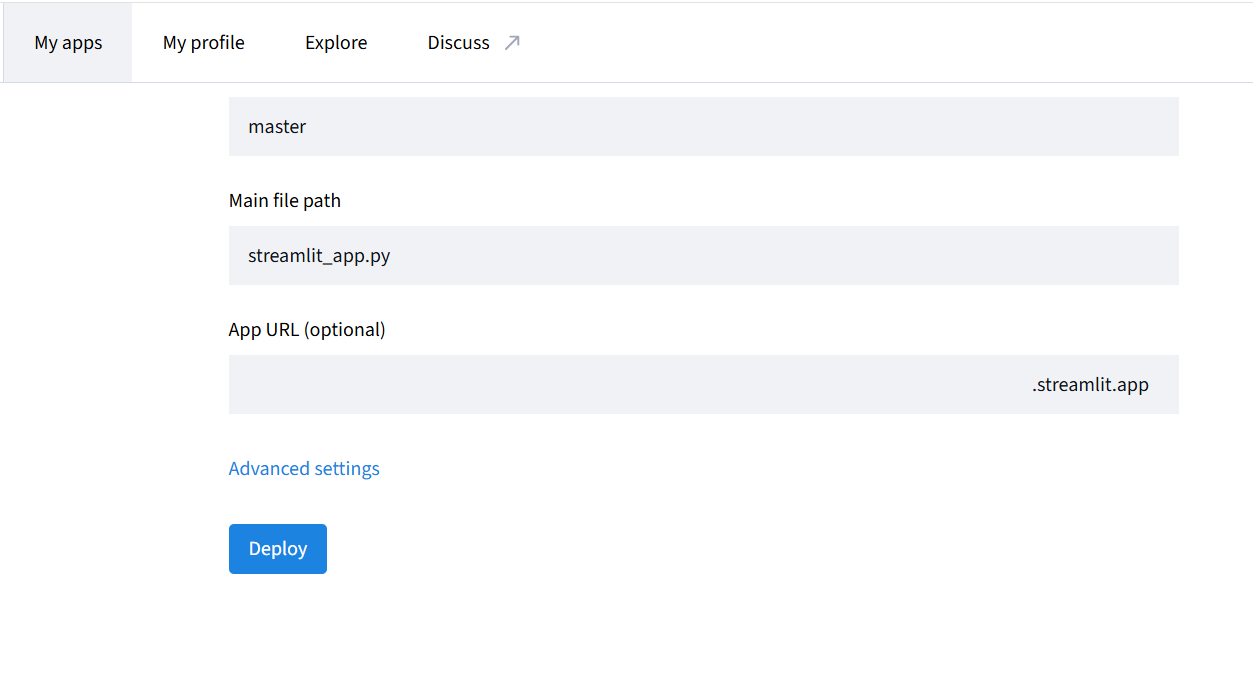
GitHub のターゲット(リポジトリ/ブランチ/メインモジュール)を選択し、左下の
Advanced settings を開く。
-
Python version を
3.11に設定して保存。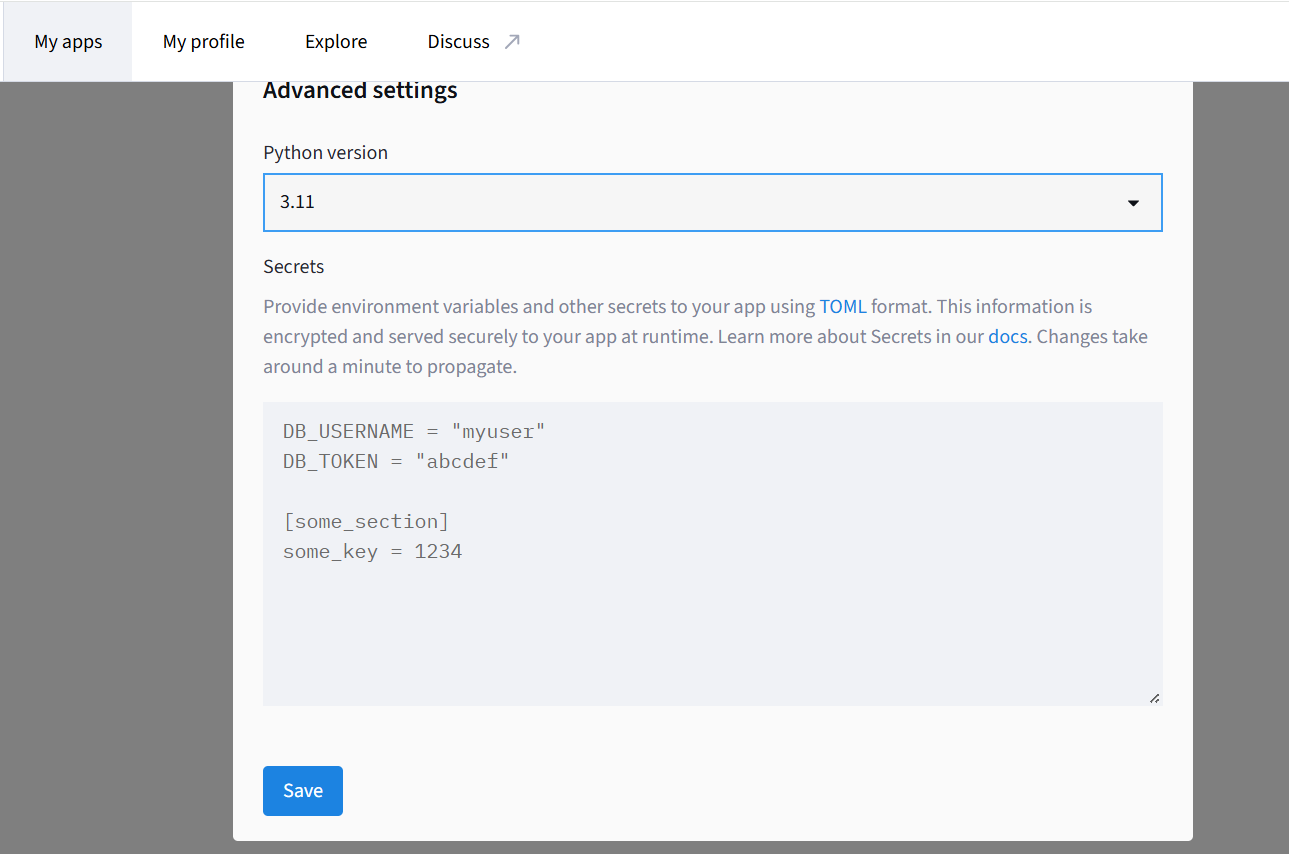
参考
以上です。
環境差で転ぶのは「あるある」なので、サクッと Python 版固定で回避しましょう(沼る前に)。