

はじめに
pg_searchを用いての簡単な検索機能追加について学びんだことをまとめました。
必要条件
- Ruby
- Rails
- PostgreSQL
- pg_search gem
Gemfile
#ruby 2.2.1
gem 'rails',       '~> 4.2.1'
gem 'pg',          '~> 0.17.1'
gem 'pg_search',   '~> 1.0.3'   # Named scopes that take advantage of PostgreSQL's full text search
gem 'haml-rails',     '~> 0.9.0'
gem 'bootstrap-sass', '~> 3.2.0.0' # Converts Less to Sass.
# etc
#やりかた
##Model
pg_search gemを使うために、まずinclude PgSearchを加えます。
そして、pg_search_scopeを定義します。後にsearchメソッドを呼び出すとここで定義したscopeで検索の処理が行われます。例、Ingredient.search(params[:search])
Model
class Ingredient < ActiveRecord::Base
  include PgSearch  # 忘れずincludeすること。

  scope :sorted, ->{ order(name: :asc) }

  pg_search_scope :search,
                  against: [
                    :name,
                    :volume
                  ],
                  using: {
                    tsearch: {
                      prefix: true,
                      normalization: 2
                    }
                  }

...
##View
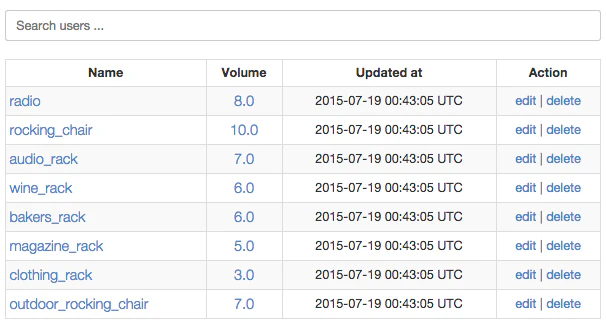
テンプレートで検索用フォームを作成します。
検索用の属性(本例では:search)を用い、ユーザーの検索フォームへの入力値をパラメータとしてGET#indexリクエストします。
View
...

# 検索機能
.filter_wrapper{ style: "margin-bottom: 20px;" }
  = form_tag(ingredients_path, method: "get") do
    = text_field_tag :search, nil, placeholder: "Search ingredients ...", class: "form-control"
    = submit_tag "", style: "display: none;"

    ...
##Controller
indexアクションの処理を、検索用パラメータの有無を検知して分岐します。本例の場合は、before_actionフィルタに処理をまとめました。検索用パラメータがある場合のみ検索処理を行います。
Controller
class IngredientsController < ApplicationController

  before_action :search_ingredients, only: :index  # indexアクションのみ

  def index
  end

  ...

  private

    def ingredient_params
      params.require(:ingredient).permit(:name, :volume)
    end

    # 検索用パラメータの有無を検知。検索用パラメータがある場合のみ検索処理。
    def search_ingredients
      @ingredients =  if params[:search].present?
        then Ingredient.search(params[:search])
        else Ingredient.all
        end.sorted.paginate(page: params[:page])
    end
end
おわりに
今回記載した内容は基本的なことのみですが、簡単にデータベースの機能を利用して、検索機能を追加することができました。